Acer E200 Smartphone User Guide36
E-mail
Your smartphone uses Outlook
Mobile to manage email accounts.
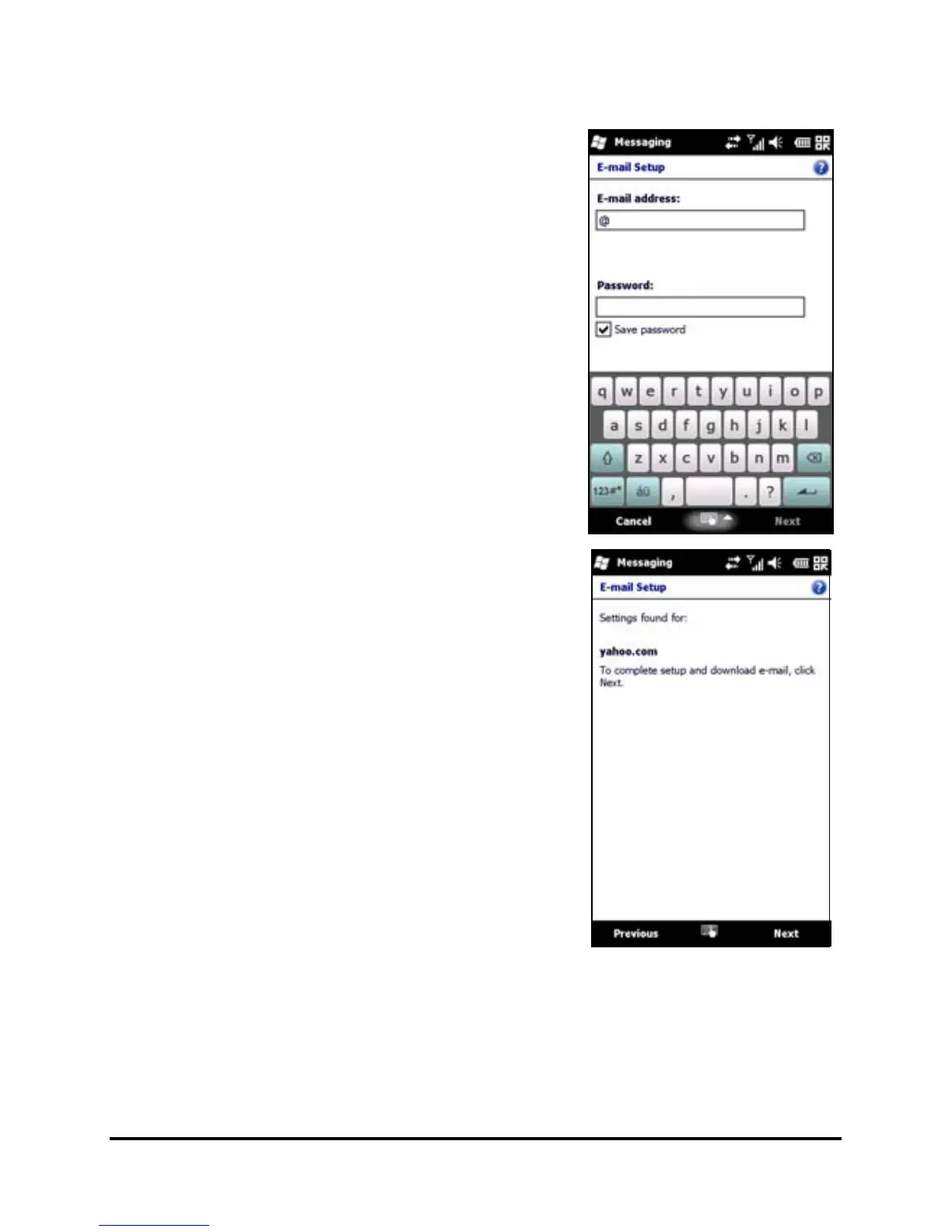
Tap Start > E-mail to access the
account setup. Tap Setup E-mail to set
up your email account.
Enter your email address and pass-
word to set up the account. Select if
you want to save your password or
not.
When you’ve finished entering the
information, tap Next. Your smart
-
phone has pre-set definitions for a
variety of popular ISPs and will recom
-
mend settings if your email address is
recognized. Otherwise your smart
-
phone will try to connect to the Inter-
net to find the settings.


 To Next Page