Acer E200 Smartphone User Guide10
Getting to know your smartphone
Views
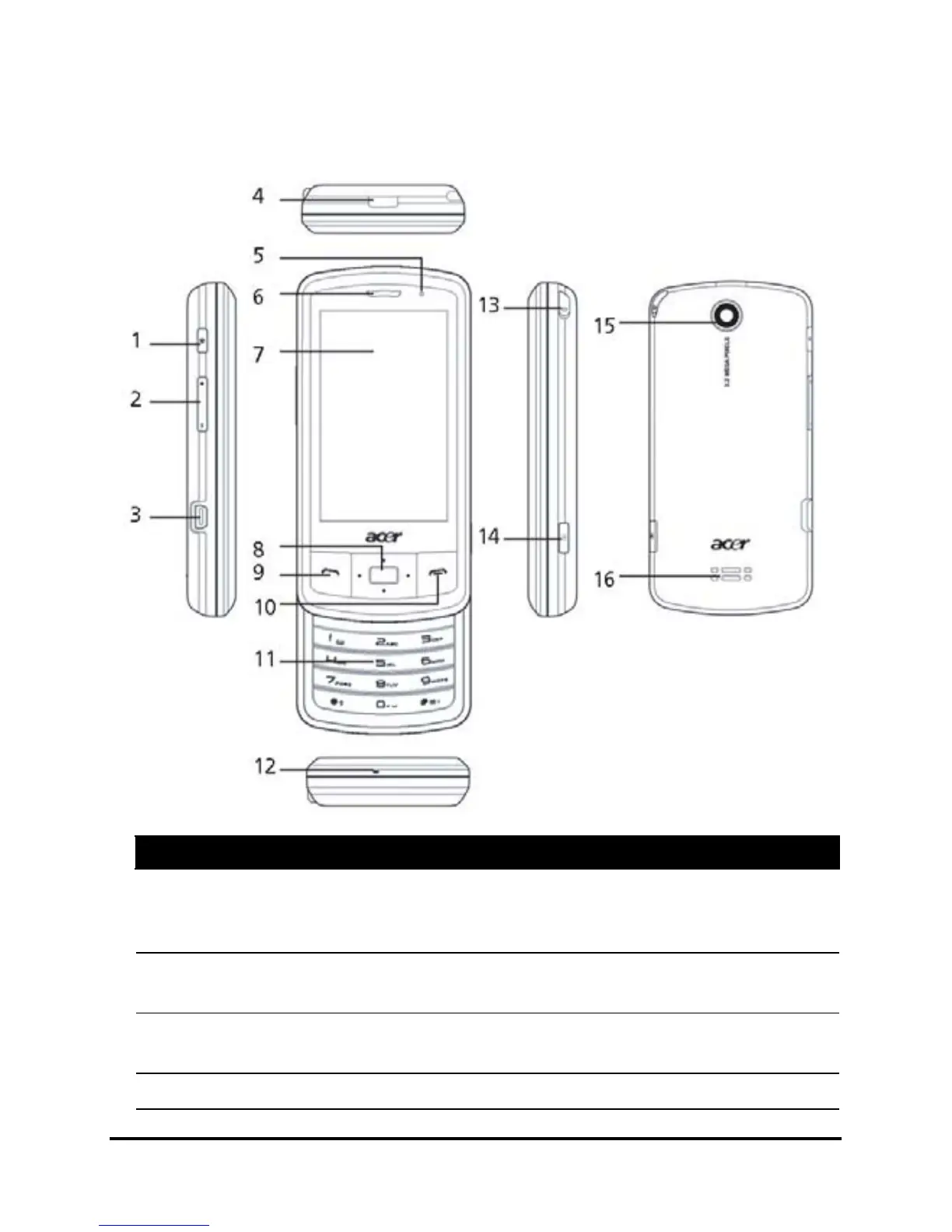
No. Item Description
1 Power button Press to turn the screen on/off or enter
sleep mode; press and hold for more than
three seconds to turn the smartphone off.
2 Volume control Increase or decrease the ringer/system
volume.
3 Mini USB connector Connect to a USB cable/headphones/
charger.
4 Battery cover release Press to release the battery cover.


 To Next Page