Acer E200 Smartphone User Guide38
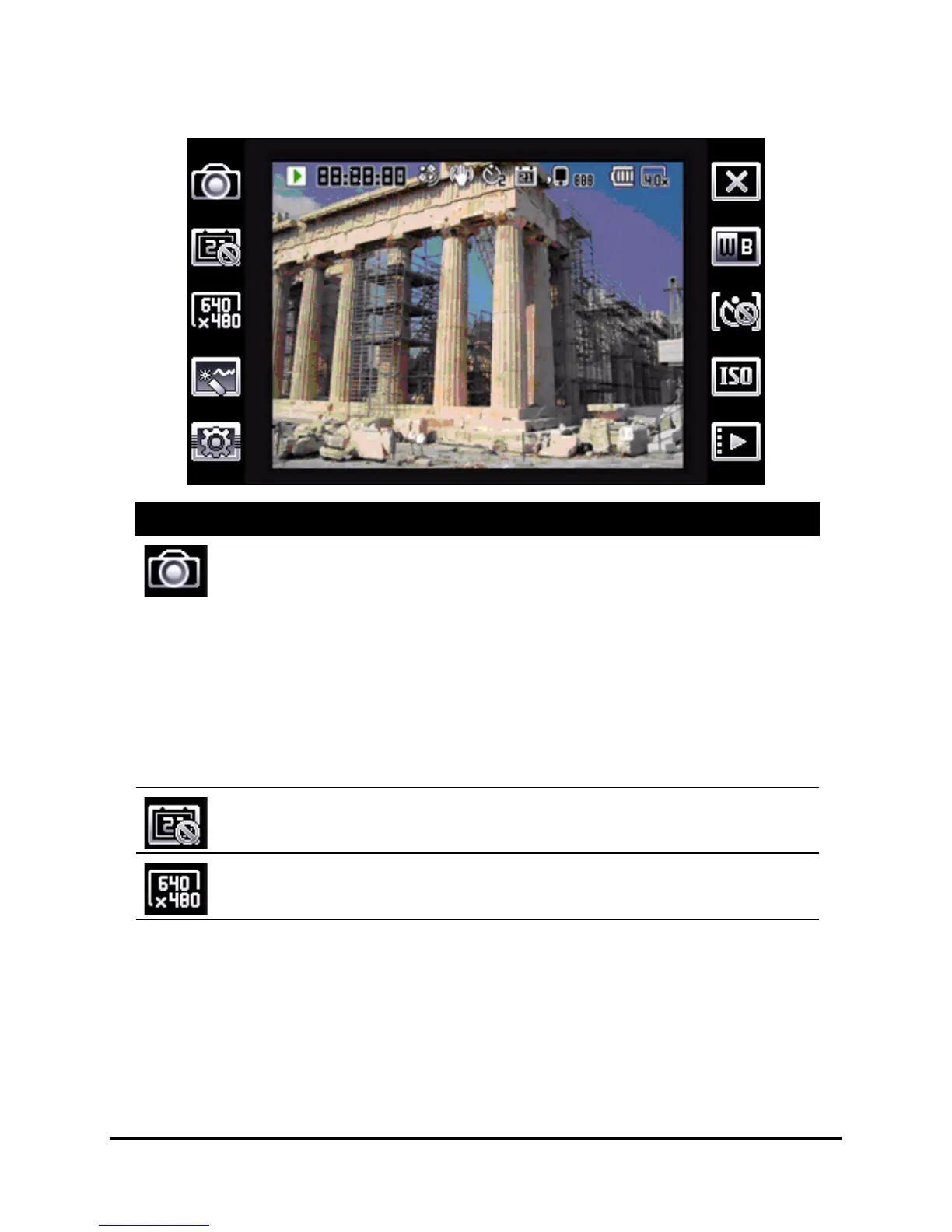
Camera icons and indicators
Icon Description
Adjust the camera mode.
• Photo - Take a photograph.
• Video - Shoot a video.
• POI Photo - Take a photo and associate it with the
GPS coordinates of the location.
• Continuous 3/5 - Take three or five photos in a
burst (select the number of photos by tapping the
icon repeatedly).
• MMS - Take a photo that is suited for sending by
MMS.
Turn the time stamp on or off.
Adjust the image resolution.


 To Next Page