Acer E200 Smartphone User Guide44
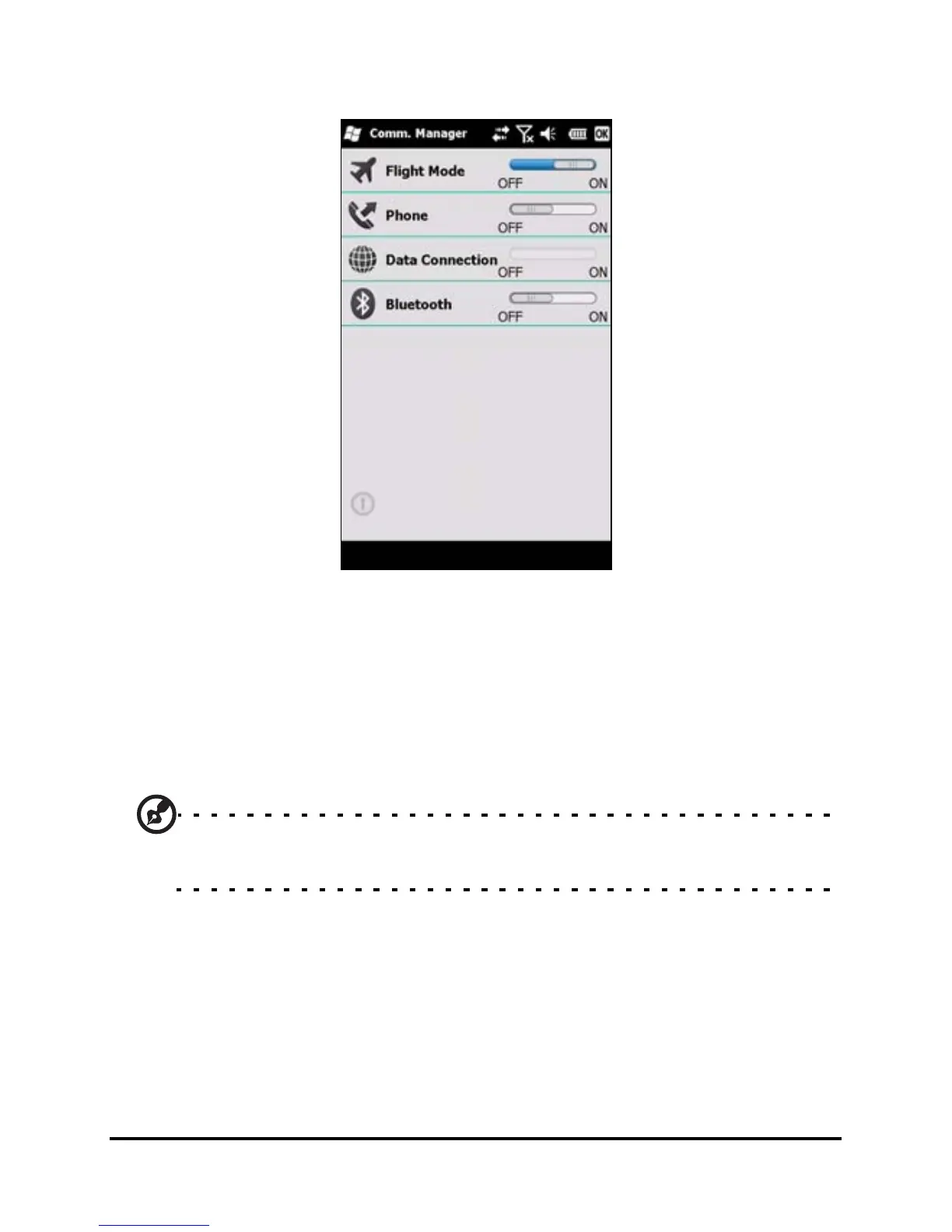
2. Tap Flight Mode ON to turn off all phone, Bluetooth and
data connection functions.
Comm. Manager
Your smartphone features phone, Bluetooth and data connec-
tion functions. This section will explain how to activate and set
basic phone, Bluetooth and data connection settings through
the Comm. Manager screen.
Tip: Tap and hold the name of any communication type to open its
associated Settings page.
Using the Comm. Manager
To access the Comm. Manager, tap:
1. The communication icons at the top of the screen, or
2. Start > Comm. Manager, or
3. Start > Settings > Connections > Comm. Manager.


 To Next Page