List of Figures
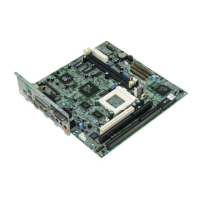
1-1 System Board Layout.................................................1-3
1-2 System Board Jumper and Connector Locations.......1-4
1-3 S1 Multifunction Switch..............................................1-6
1-4 20-Pin Multifunction Connector (CN16).....................1-9
1-5 Installing a SIMM......................................................1-12
1-6 Removing a SIMM....................................................1-13
1-7 Installing a Pentium CPU..........................................1-15
1-8 Installing a Cache Module........................................1-16
List of Tables
1-1 Jumper Settings.........................................................1-5
1-2 S1 Settings for CPU Selection....................................1-7
1-3 Connector Functions..................................................1-8
1-4 Memory Configurations (64-bit)................................1-10
1-5 Memory Configurations (32-bit)...............................1-11
1-6 IDE Hard Disk Configuration....................................1-14
1-7 System Error Messages...........................................1-19
2-1 Drive Control Settings..............................................2-17
2-2 Serial Port 1 Settings................................................2-18
2-3 Serial Port 2 Settings................................................2-18
2-4 Parallel Port Settings................................................2-19
2-5 Parallel Port Operation Mode Settings.....................2-20
xiv



 To Next Page