1.5.3 Removing a SIMM
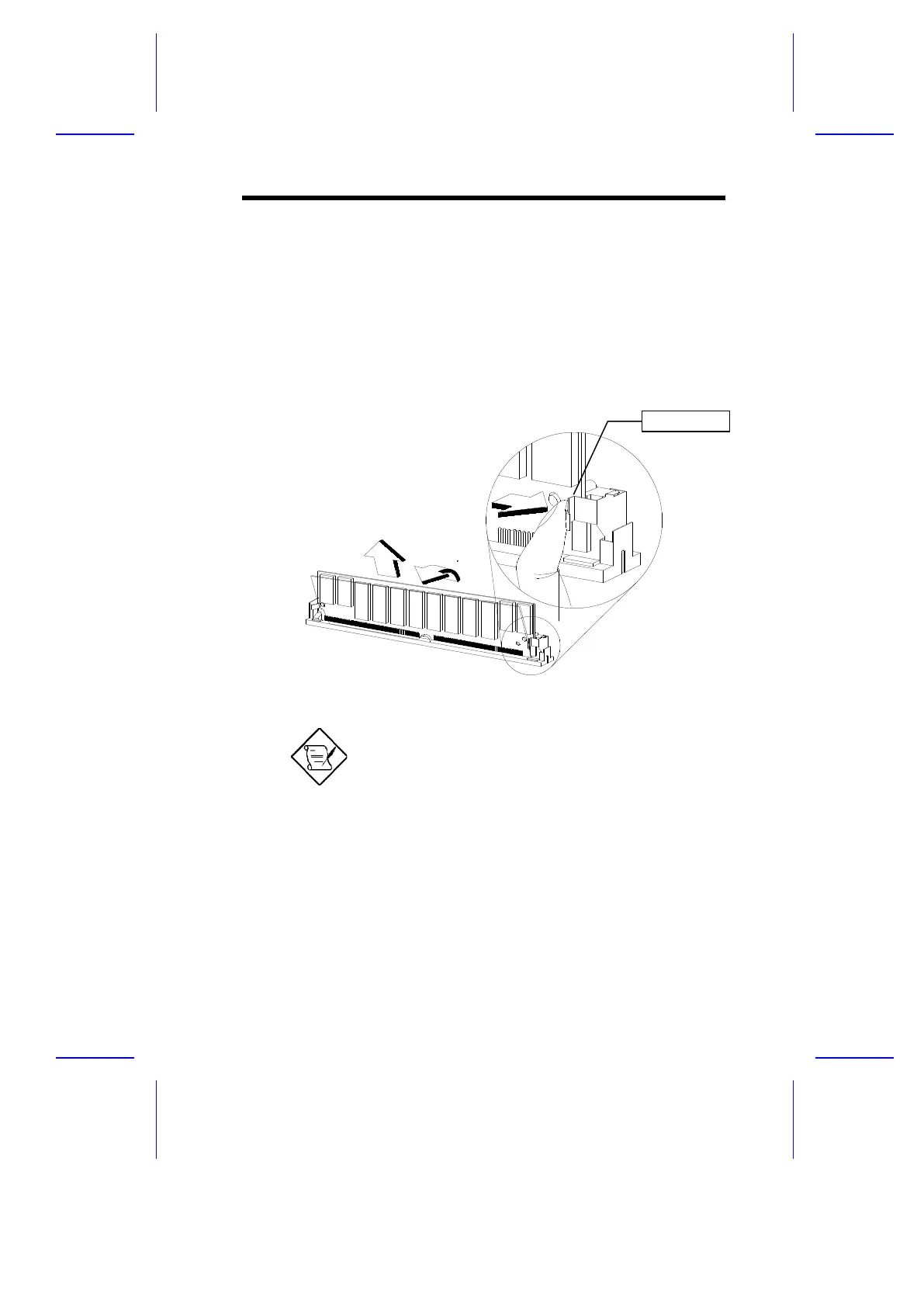
Follow these steps to remove a SIMM:
1. Press the holding clips on both sides of the SIMM outward to release it.
2. Move the SIMM to a 45° angle.
3. Pull the SIMM out of the socket.
Figure 1-6 Removing a SIMM
Always remove SIMMs from the socket labeled
SIMM4, then SIMM3, and so on.
System Board 1-13
1
2
3
Holding Clip



 To Next Page