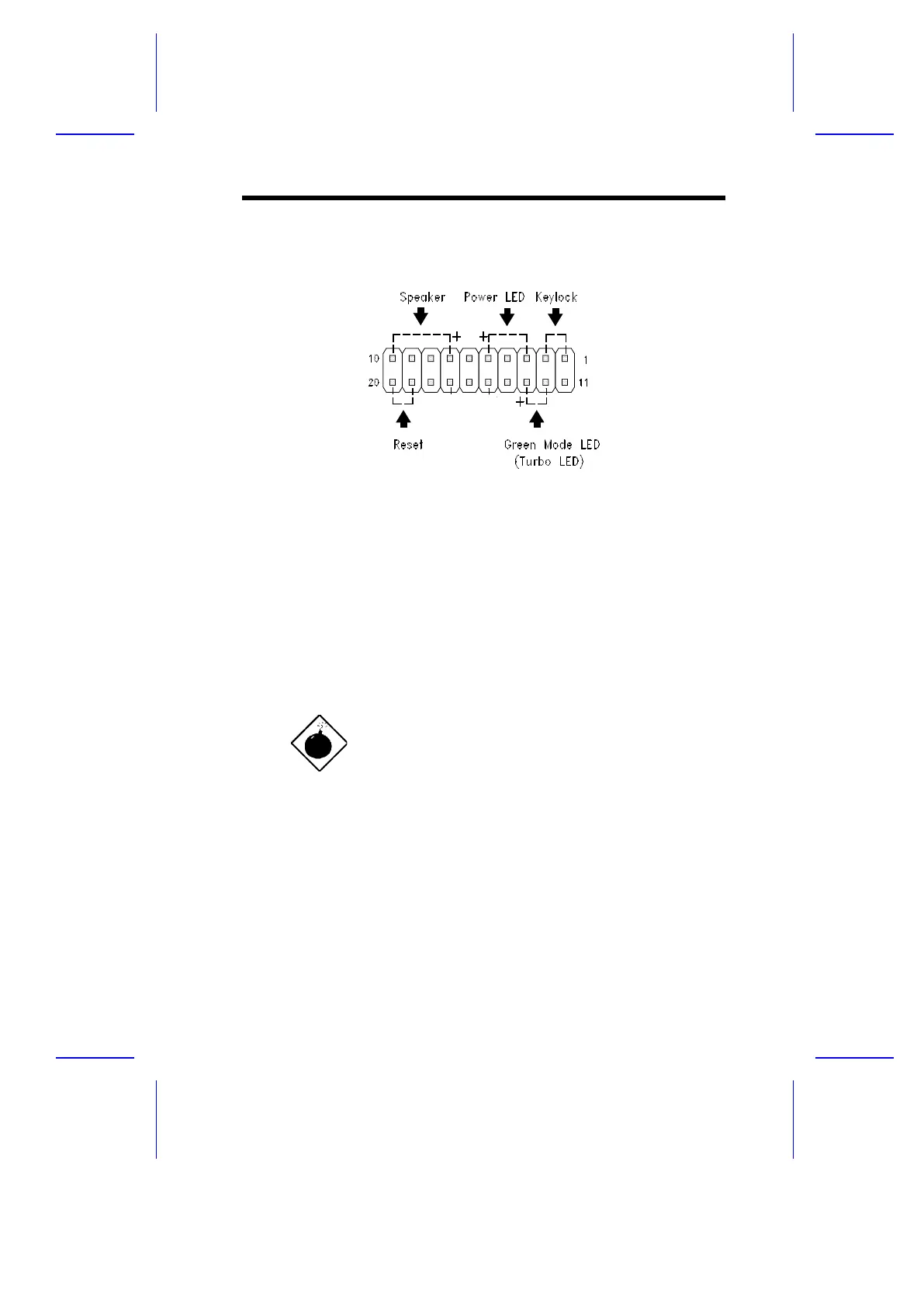
The multifunction connector CN16 accommodates the front panel connectors
for speaker, LEDs, keylock, and reset. Figure 1-4 shows the CN16 pin
assignments for each of the front panel connectors.
Figure 1-4 20-Pin Multifunction Connector (CN16)
1.4 ESD Precautions
Always observe the following electrostatic discharge (ESD) precautions
before installing a system component:
1. Do not remove a component from its antistatic packaging until you are
ready to install it.
2. Wear a wrist grounding strap before handling electronic components.
Wrist grounding straps are available at most electronic component
stores.
Do not attempt the procedures described in the
following sections unless you are a qualified
technician.
System Board 1-9



 To Next Page