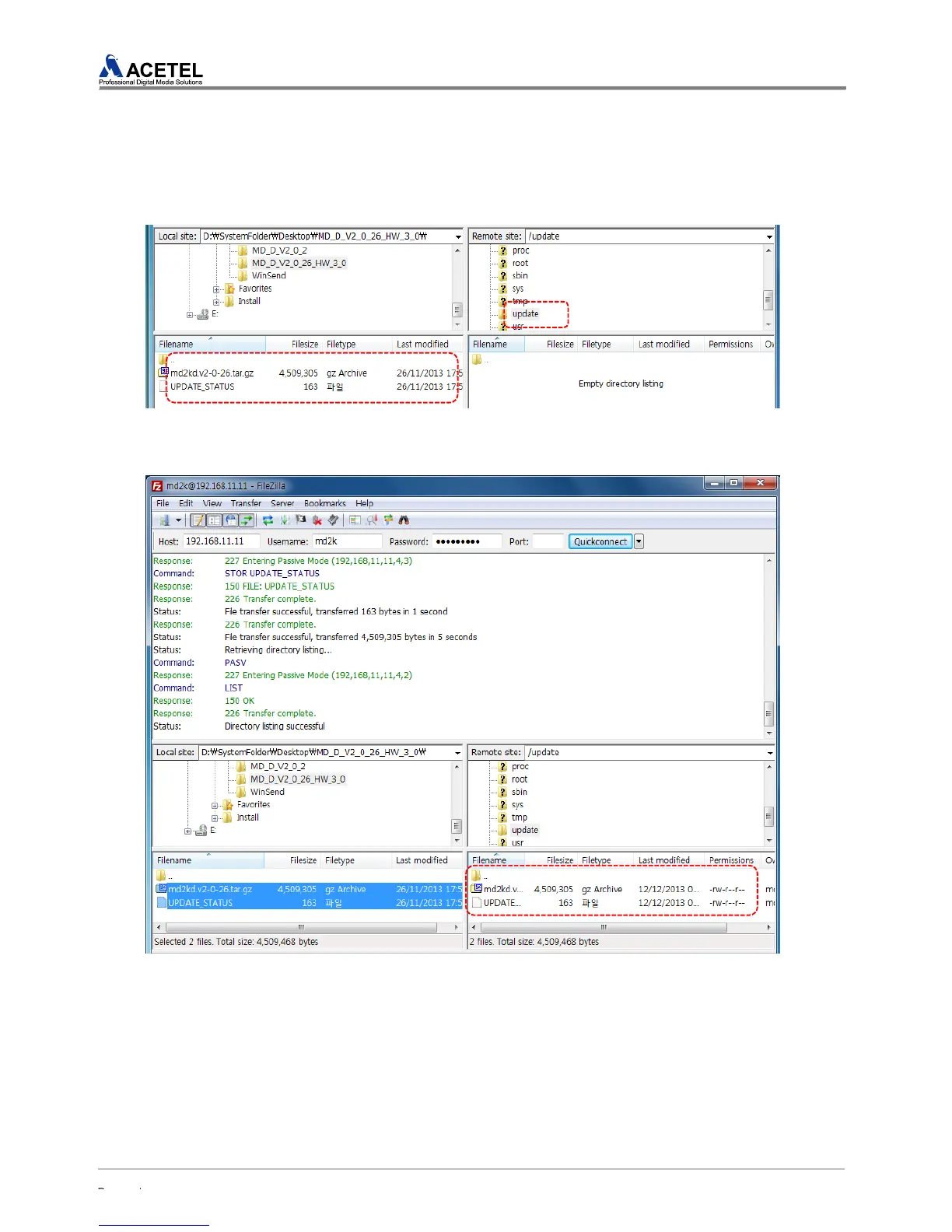
STEP4) From the computer window on the left, move to a folder containing software. Select the
“update” folder on the right window and then move. In case of software, two files exist and each file
has the following format and information.
* Software File : md2kd.v1-1-220. tar.gz (1-1-220 is the version information)
* Update Checksum File : UPDATE_STATUS
2 files are transmitted to the “update” folder of the MD2000-16H.
[Figure 44] Check the software file of a computer and move to the MD2016A Update folder
STEP5) When the file transmission is completed, a file uploaded onto the “update” folder would be
shown on the right window.
[Figure 45] Software File Upload Completion
STEP6) Refer to “4.1.9 UPDATE” for Updating.



 To Next Page