19-11-2013 manual 11
12. PROCESSING THE DATA IN EXCEL
1. Turn o the FF-mk2®
2. Remove the micro-SD card by pushing on it and then releasing it
3. Either the SD adapter or the USB adapter can be used to connect to your computer
4. When inserted a screen ‘Automac…’ will pop up. Ignore this screen or click cancel.
5. Open Excel
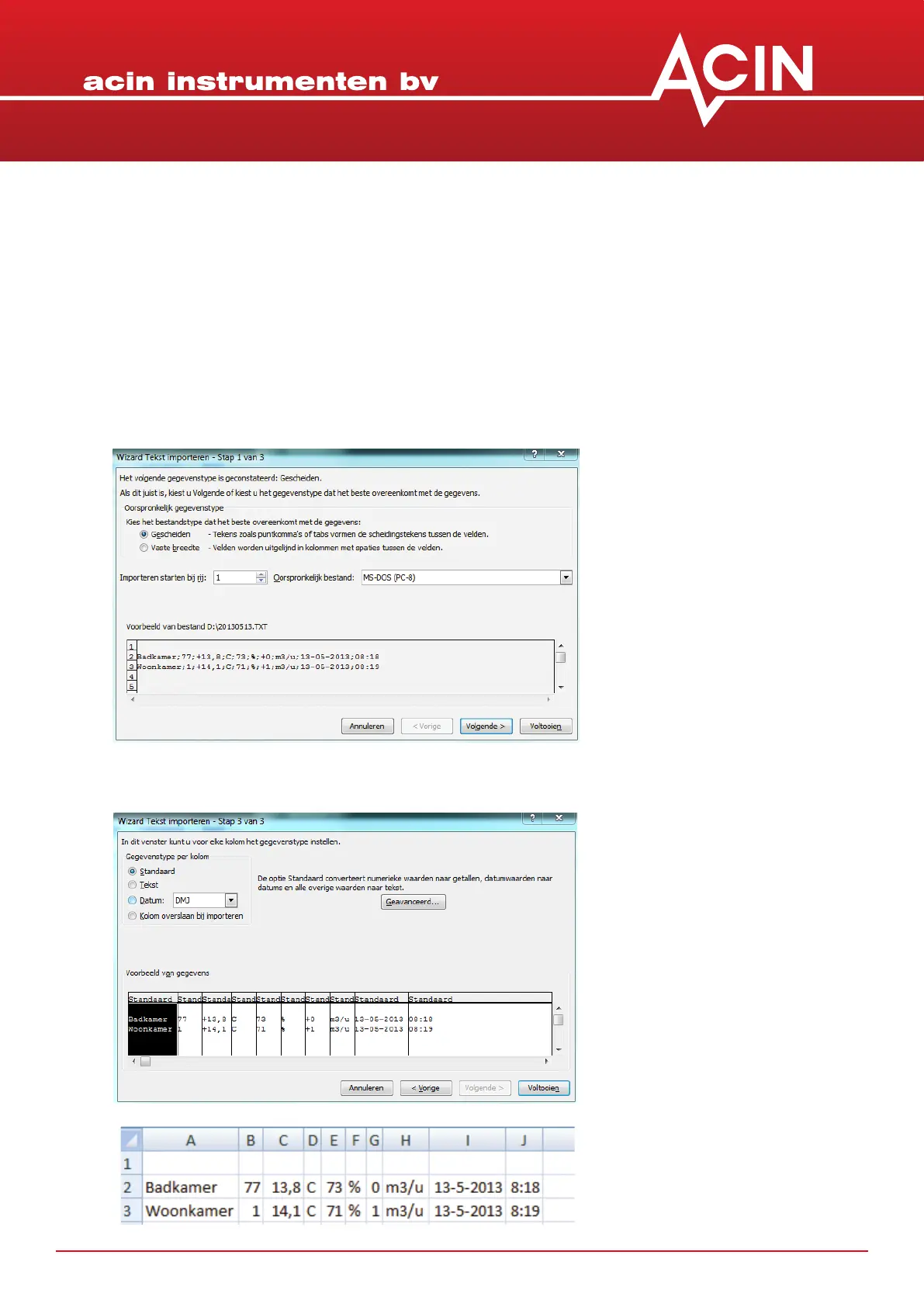
6. Select ‘Data’, ‘From text’
7. The Wizard ‘Import text’ will be acvated
8. Select the data le and ‘next’
9. Select ‘; ‘ as separator and ‘Connue’
10. The data are now ready for further processing and reporng


 To Next Page