10 manual 19-11-2013
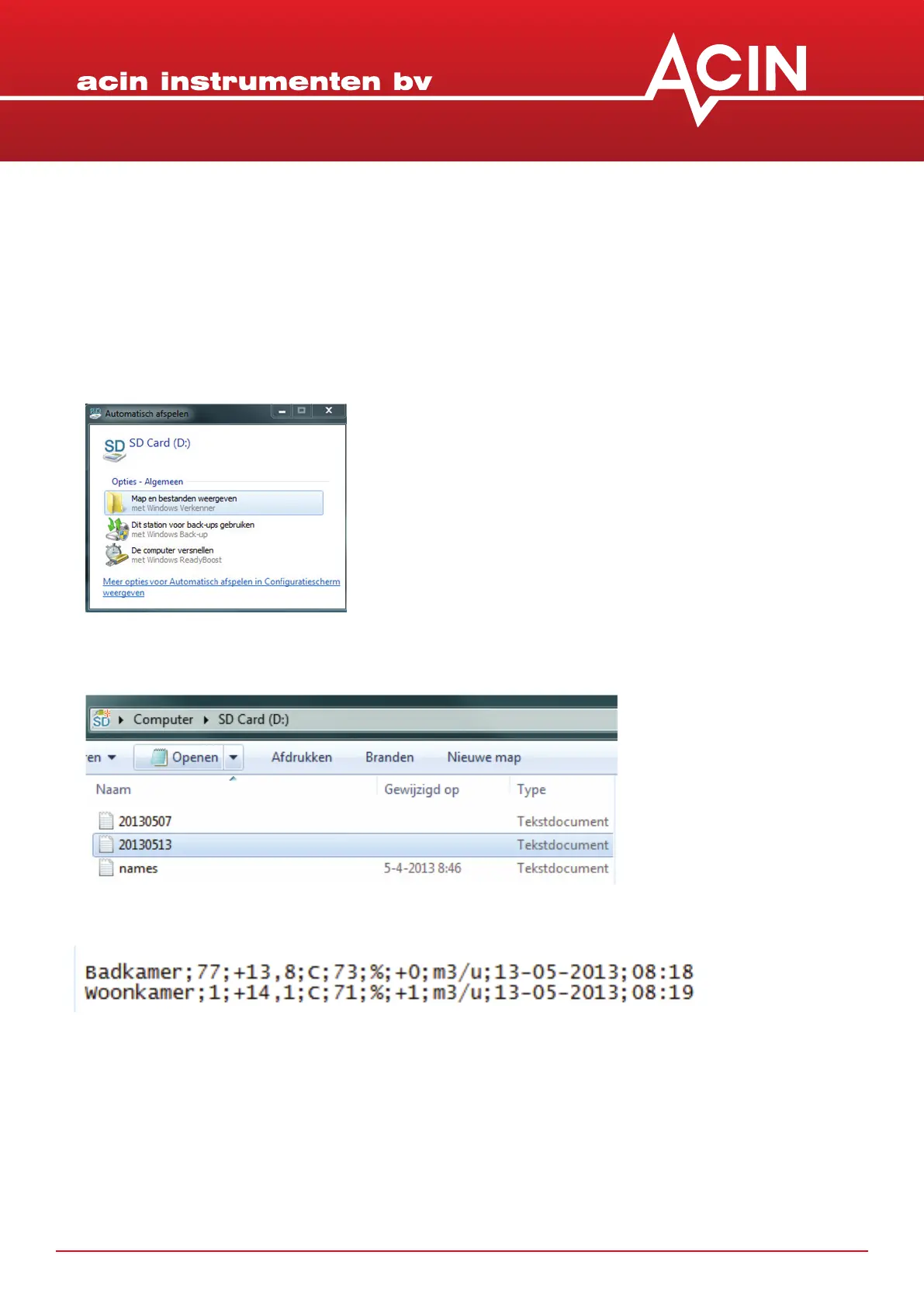
6. Now you should see a list of text les with the name format yyyymmdd (year month day).
The le names.txt will be discussed further down
7. An example of the data format is given below.
11. PROCESSING THE STORED DATA
1. Turn o the FF-mk2®
2. Remove the micro-SD card by pushing on it and then releasing it
3. Either the SD adapter or the USB adapter can be used to connect to your computer
4. Aer inserng the card, a screen ‘Automac…’ will pop up.
5. Select ‘Show maps and les’


 To Next Page