6 manual 19-11-2013
5. THE DISPLAY IN MEASURING
MODE
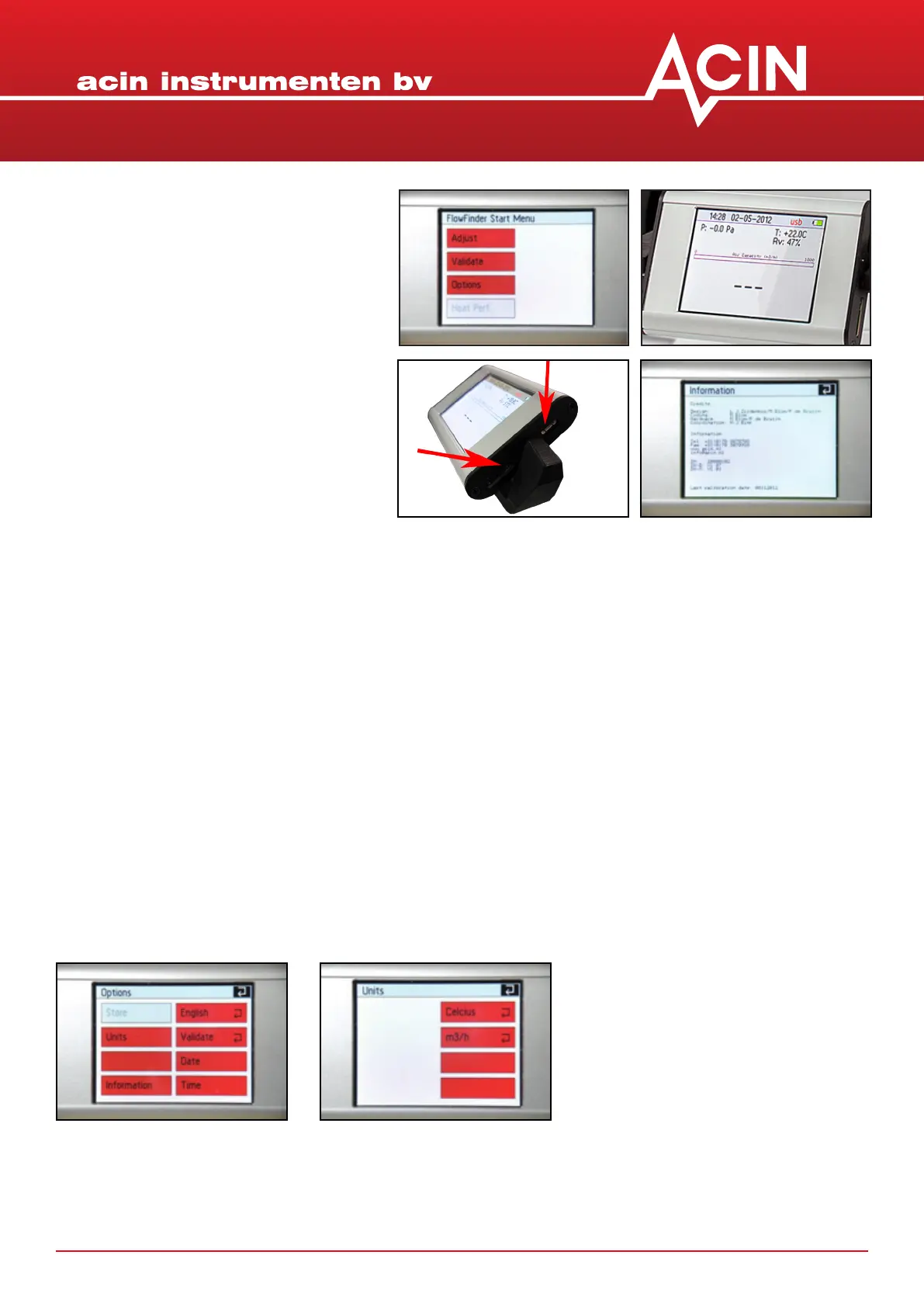
The display in measuring mode shows a
number of parameters
Below the unit of ow is a bar that during a measurement will ll up in green, the length of the green bar
is proporonal to the airow.
1. me
2. date
3. USB connected: yes/no
4. status baery pack
5. pressure dierence ΔP in Pascal to
be compensated
6. temperature in °C of °F
7. relave humidity RH in %
8. measured ow in l/s, m³/u of CFM
When the FlowFinder mk2® is in rest and in measuring mode, you will nd below this bar a:
On the sides of the display there are a slot for a micro SD card, a mini USB port and a programming cable.
At this moment the SD card and the USB port cannot be used yet.
1. blinking ‘0’ : this means that the FF has been set to adjust
2. ‘- - -‘ : this means that the FF has been set to validate
6. DEFAULT SETTINGS
Press the white arrow in the right upper corner of the starng screen to go to Start Menu.
Choose Opons
This screen allows for the sengs to be changed. Once you are ready these sengs will be stored as the
default sengs.
1. Choose language Nederlands or English
2. Choose Units
3. Choose the unit of temperature: Celcius or Fahrenheit
4. Choose the unit for ow: l/s, m³/u or CFM


 To Next Page