12 manual 19-11-2013
14. EMERGENCY STOP
17. CALIBRATION
15. SWITCHING OFF OF THE FLOWFINDER MK2®
16. STORING THE FLOWFINDER MK2®
If for any reason it is needed to interrupt the measurement just press the red buon shortly.
We recommend to have the FlowFinder mk2® calibrated once every year. Please contact us or your
distributor to arrange
To switch o the FlowFinder mk2® press the buon on the le side of the
display. The display will turn black for a moment and will then show an infor-
maon screen displaying, among other info, the serial number, the soware
version and the last calibraon date. This screen can also be found through
the touch screen under Opons, Informaon.
1. Place the hood 230x230x145mm upside down over the top of the FlowFinder mk2®.
2. Place the FlowFinder mk2® in the transport case with the display facing up. Take care the display is not
lted, but laying horizontally.
3. Behind the elascs in the lid, paperwork can be stored.
4. If any resistance is felt when closing the lid of the case, don’t push, but try to remove the cause.
5. When the FlowFinder mk2® will not be used for a longer period of me, the baery pack has to be
removed. It can be stored in the boom of the transport case.
6. Consequently, when the FF hasn’t been used for several weeks, the baery has to be charged fully before
using.
13. NAMING THE DATA STORAGE LABELS
1. Connect de microSD card using the USB or SD adapter with
your computer
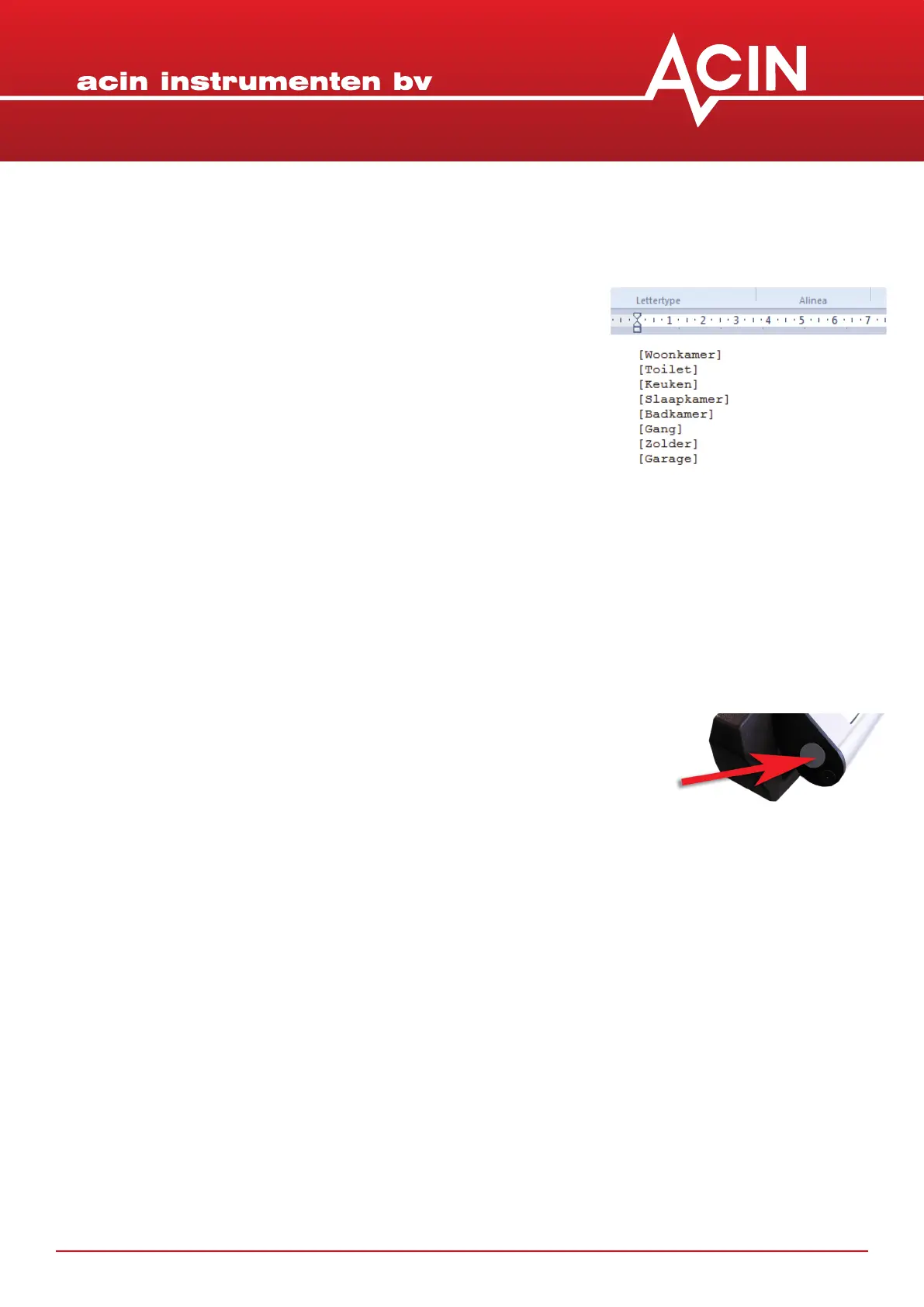
2. Open the le ‘names.txt’with a text editor like WordPad. This
le should already be on the micro SD card.
3. The labels for the buons are listed where each label is given in
square brackets like [kitchen].
4. All these ideners can be edited to your wish (so project
name / apartment type / room / grill type)
5. IMPORTANT: take care always to use these [] brackets around
the labels. For instance [kitchen]
6. Save the le to the microSD card overwring the old le


 To Next Page