8 manual 19-11-2013
8. MEASURING WITH THE FLOWFINDER MK2®
The FlowFinder mk2® has two measuring modes. The so-called
‘validaon mode’ and the ‘adjustment mode’. In the opons
menu one of these modes can be set as default. At start up the FF-
mk2 will be ready to measure in the default mode.
The measuring mode can be recognized by the red blinking ‘0’
(adjustment mode) or the ‘- - -‘ (validaon mode).
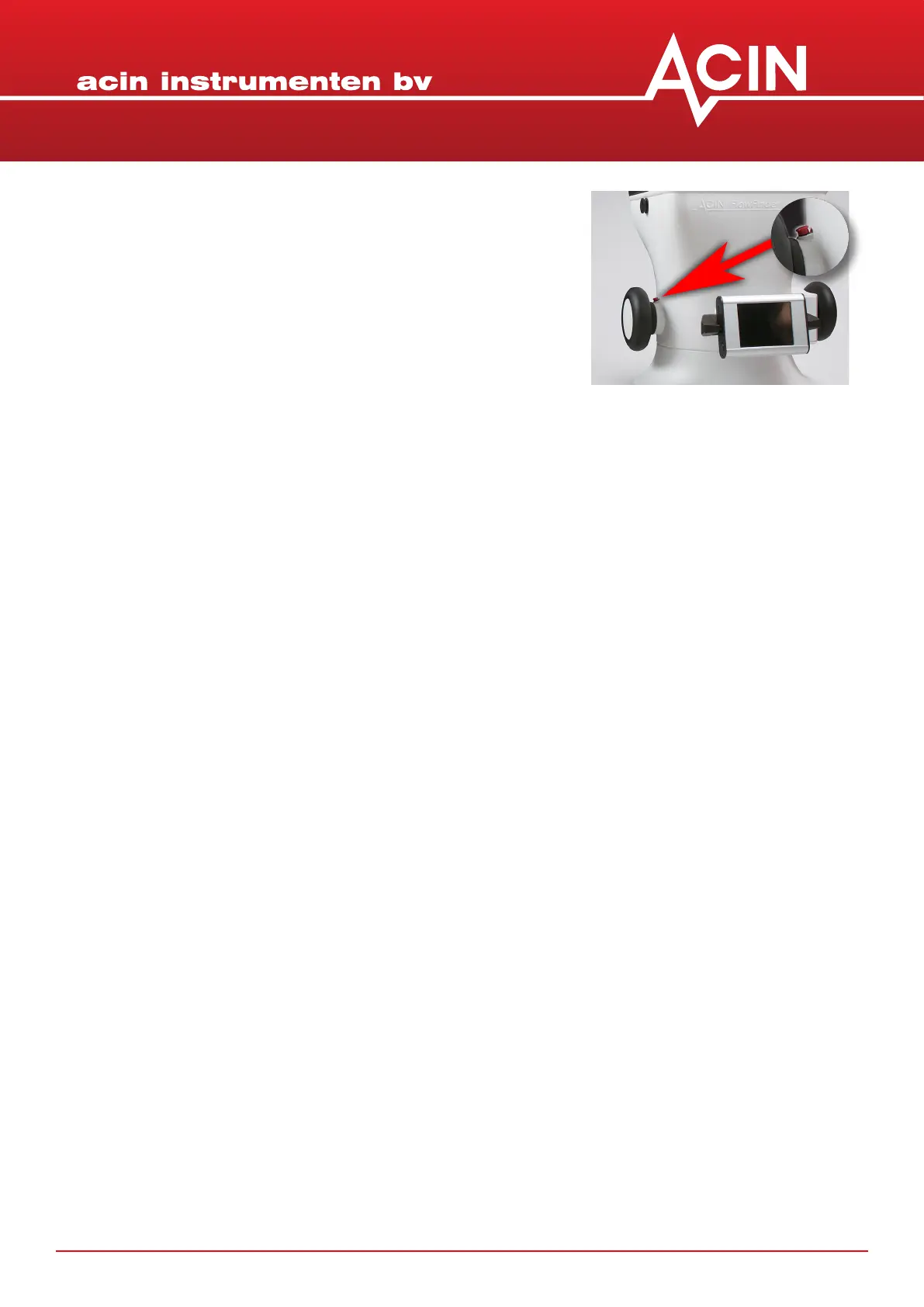
In validaon mode the FF-mk2 a measurement starts by pushing the red buon (behind the le knob).
The FF-mk2 decides when the measurement is ready, normally within 10 to 15 seconds. It will display the
measurement result which then can be stored by touching ‘store’.
In adjustment mode the FF-mk2 a measurement starts by pushing the red buon. The blinking number
turns green and will change depending on the air ow volume. The measurement will only stop aer the
red buon is pushed again. This way you can adjust the diuser or valve to the desired air ow. You may
take down the FF-mk2 to adjust the valve. Wait long enough unl a more or less stable reading is reached,
also aer placing the FF-mk2 back again. Always stop and start again when going from one measuring
locaon to another. The measuring result can’t be stored.
Switching between modes: push the ‘return’ buon in the right upper corner. Then you can select either
‘validate’ or ‘adjust’. To change the default mode you have to go to the opons menu.
To do a measurement, hold the FlowFinder mk2® by the le and right round handles and place the
instrument over the outlet or inlet you want to measure. Make sure to make a ght connecon by
pushing enough to avoid measuring secondary air.
Press the red buon behind the le knob shortly in order to start the measurement.
In validaon mode the text “compensang pressure” will appear, aer a few seconds followed by ”mea-
suring”. Also an arrow will appear on the boom of the display, indicang the direcon of the ow.
Aer approximately 10 seconds the result of the measurement will appear, expressed in l/s, m³/u of CFM.
In adjustment mode the colour of the blinking number will turn green and change unl it reaches the air
ow amount.
As a consequence of variaons in the venlaon system itself and to lower the total uncertainty,
we advise to repeat the measurement 2 or 3 mes shortly aer each other.
A new measurement can be started by pressing the red buon.
Best is to wait unl the venlator in the FF has come to a rest (at low ows) or runs at its non-zero
pressure compensated speed as dictated by the ow.


 To Next Page