DVS-2500/5000/5000II
17B
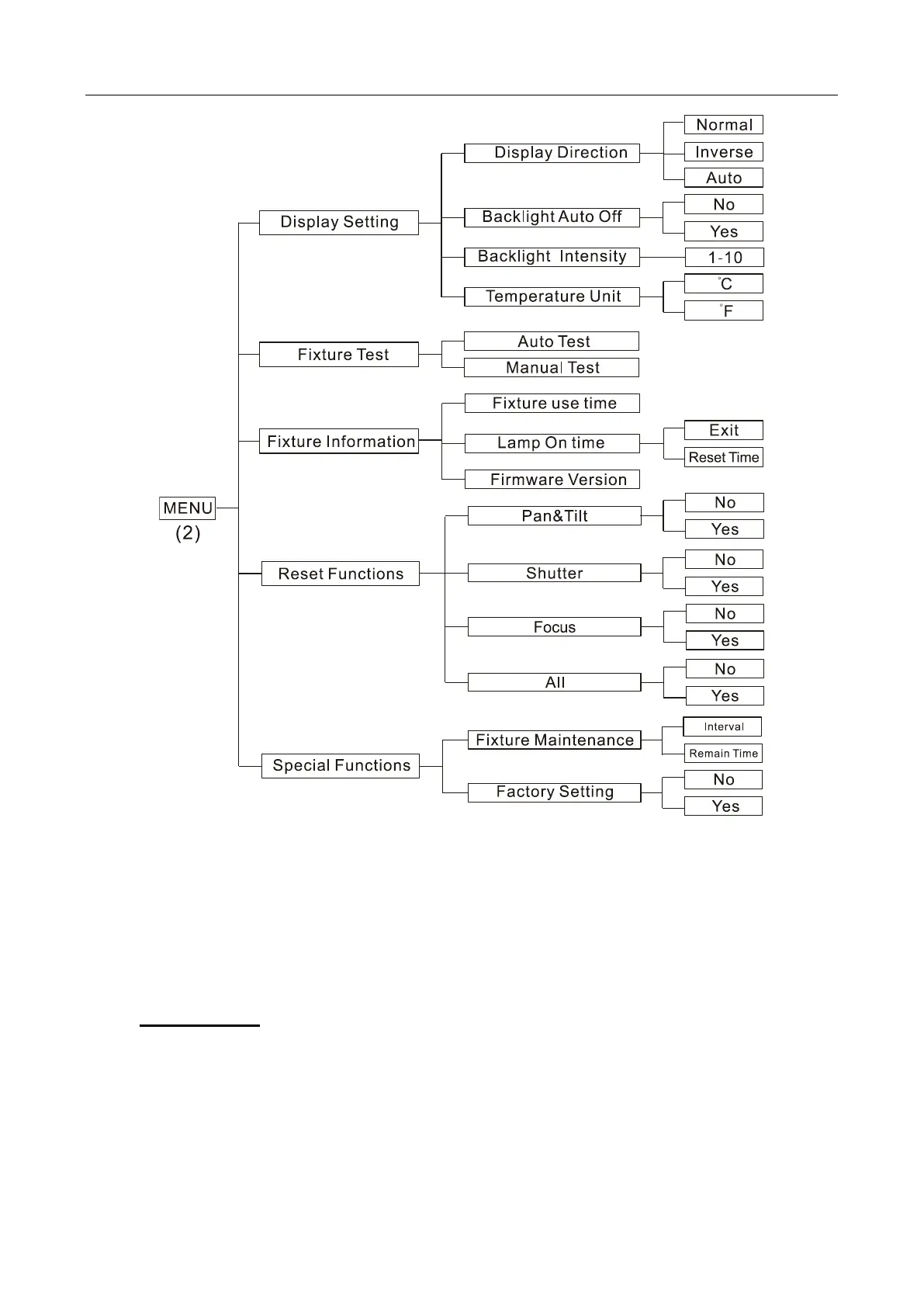
DMX Settings
Enter menu mode, select DMX Settings, press ENTER button to confirm, press
UP/DOWN button to select DMX Address, DMX Channel Mode, View DMX Value or
WDMX Setting
DMX Address—DMX512 address setting
Select DMX Address, press ENTER button to confirm, the present address will blink on
the display, press UP/DOWN button to adjust the address from 1 to 512, press ENTER
button to store. Press MENU button back to the last menu or let the unit idle one minute
to exit menu mode.









 To Next Page