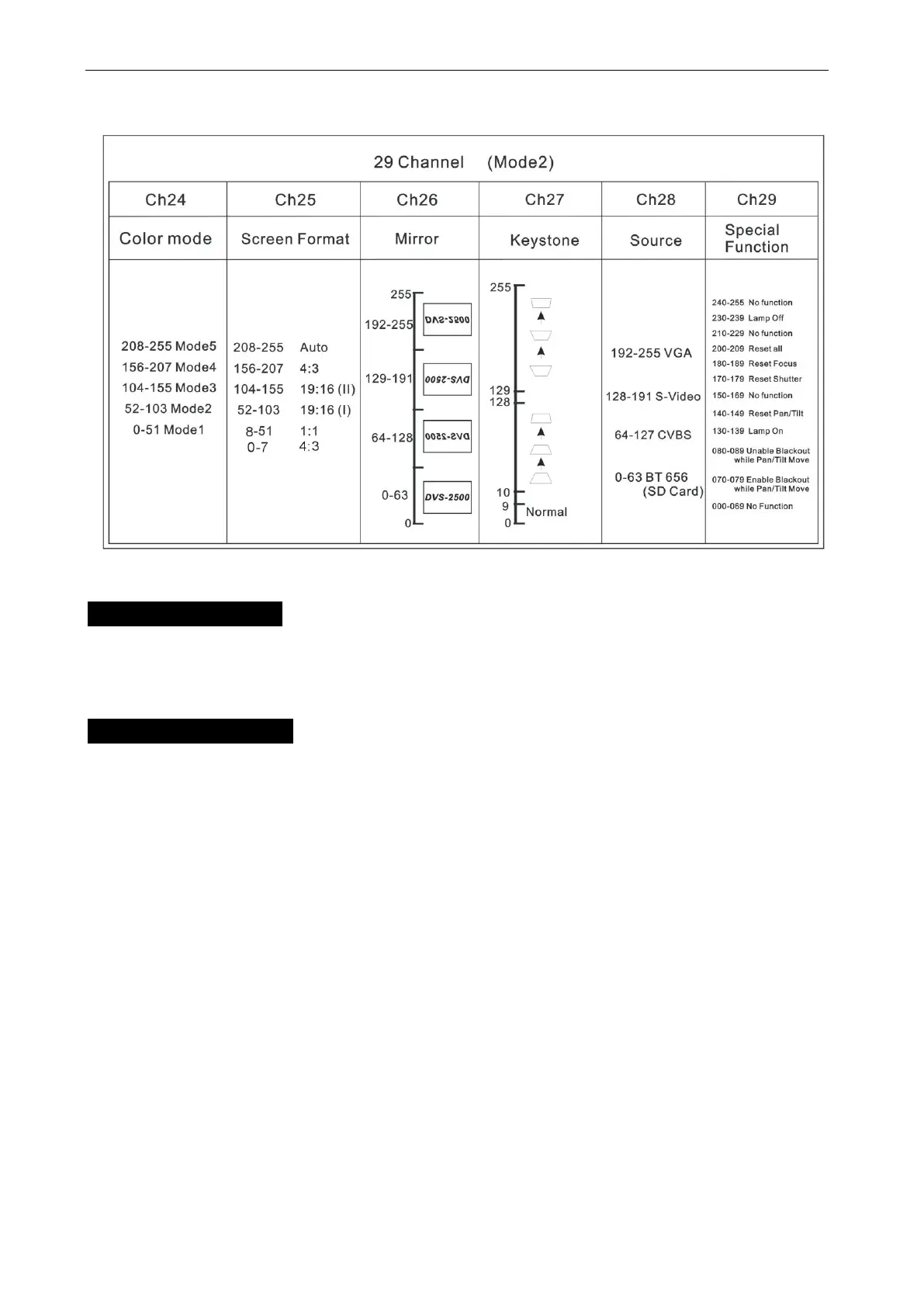
DVS-2500/5000/5000II
8. Update Software
Download update file from our web site, follow the user manual of IU-01 to update the
fixture via IU-01(not included).
9. Troubleshooting
Following are a few common problems that may occur during operation. Here are
some suggestions for easy troubleshooting:
A. The unit does not work, no light and the fan does not work
1. Check the connected power and mains fuse.
2. Measure the mains voltage on the main connector.
3. Check the power on LED to see if it can be light up or not
B. Not responding to DMX controller
1. DMX LED should be on. If not, check DMX connectors, cables to see if they are linked
properly.
2. If the DMX LED is on and no response to the channel, check the address settings and
DMX polarity.









 To Next Page