DVS-2500/5000/5000II
29B
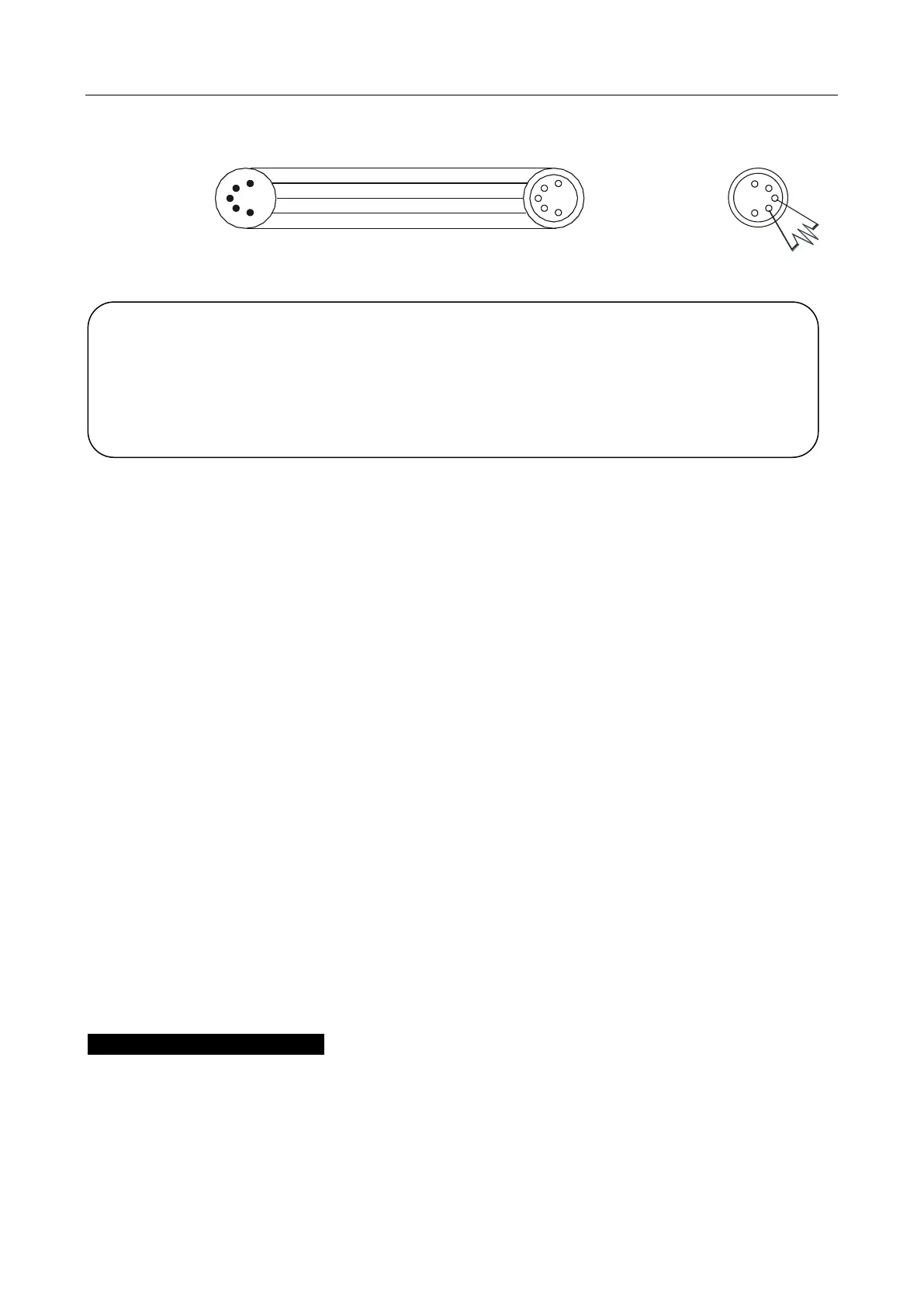
COMMON
DMX INPUT DMX OUTPUT
1
2
3
4
5
1
2
3
4
5
DMX +
DMX -
Not Used
Not Used
1
2
3
4
5
1. At last unit, the DMX cable has to be terminated with a terminator. Solder a 120-ohm
1/4W resistor between pin 2(DMX-) and pin 3(DMX+) into a 3-pin XLR-plug and plug it in
the DMX-output of the last unit.
2. Connect the unit together in a “daisy chain” by XLR plug cable from the output of the unit
to the input of the next unit. The cable cannot be branched or split to a “Y” cable. DMX
512 is a very high-speed signal. Inadequate or damaged cables, soldered joints or
corroded connectors can easily distort the signal and shut down the system.
3. The DMX output and input connectors are pass-through to maintain the DMX circuit,
even when one of the units’ power is disconnected.
4. Each lighting unit needs to have a DMX address to receive the data by the controller.
The address number is between 0-511 (usually 0 & 1 are equal to 1).
5. The end of the DMX 512 system should be terminated to reduce signal errors.
6. 3 pin XLR: Pin 1: GND, Pin 2: Negative signal (-), Pin 3: Positive signal (+)
5 pin XLR: Pin 1: GND, Pin 2: Negative signal (-), Pin 3: Positive signal (+), Pin4, Pin5
not used.
7.2 Channel Mode Setting
Enter menu mode, select DMX Settings, press ENTER button to confirm, use UP/DOWN
button to select DMX Channel Mode, press ENTER button to confirm, present channel
mode will blink on the display, use UP/DOWN button to select Mode1 (54 channels mode )
or Mode 2 (29 channels mode), press ENTER button to store. Press MENU button back to
ATTENTION
Termination reduces signal errors and avoids signal transmission problems and
interference. It is always advisable to connect a DMX terminal (Resistance 120 ohm
1/4W between pin2 (DMX-) and pin3 (DMX+) of the last fixture).









 To Next Page