35
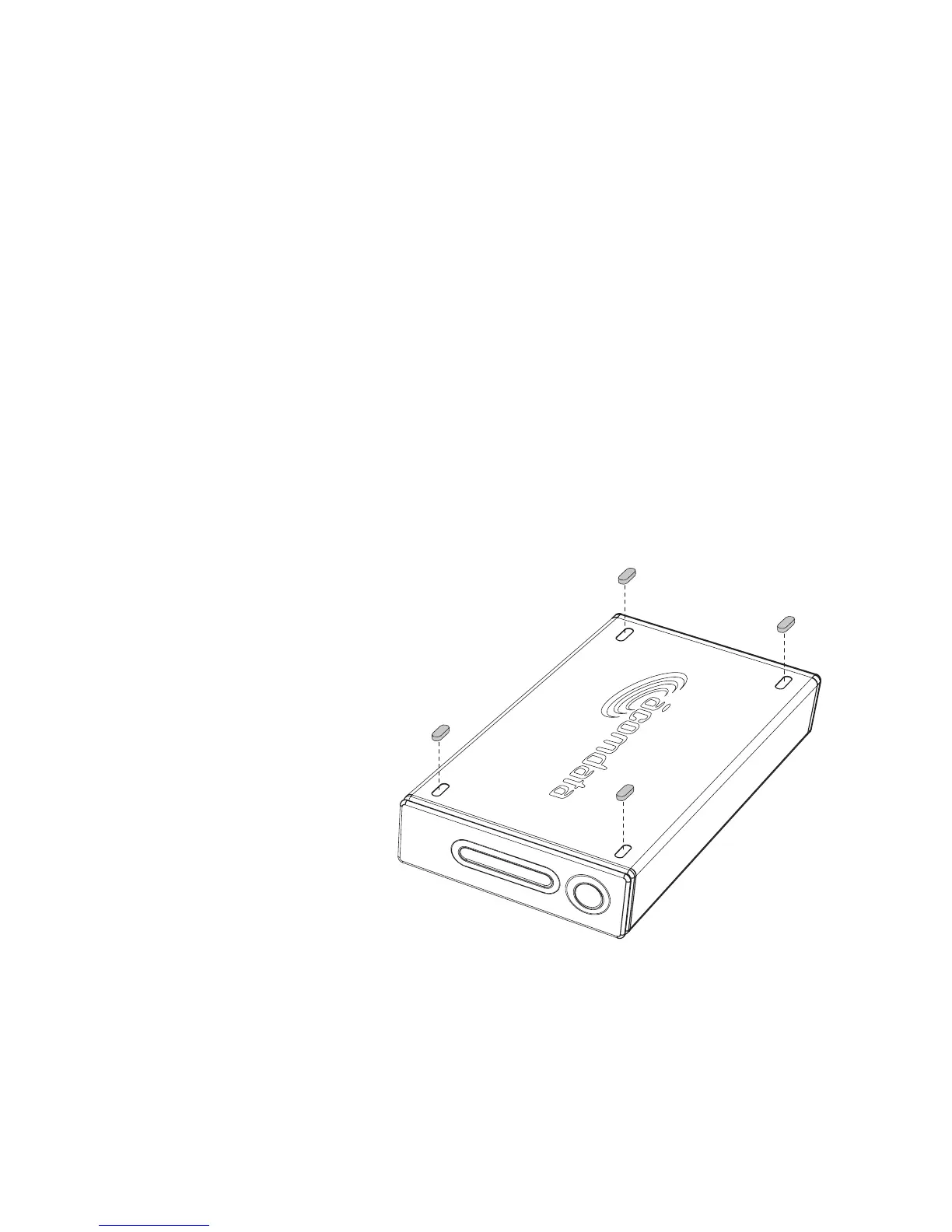
Affixing the rubber feet to the Drive case
It is highly recommended you use the supplied rubber feet
for horizontal placement and stacking of Drives. The feet
help keep the Drive securely in place, and they also prevent
the Drive case from possibly scuffing your desktop.
1. Decide whether you want the PushButton to be located on
the left or right side when the Drive is in the horizontal position,
and select the appropriate side on which to affix the feet.
2. Remove one of the rubber feet from the
paper backing and carefully position
the foot inside one of the four
oblong indentations, with the
adhesive side down. Once
the foot is properly posi-
tioned, press down
firmly to secure it
in place. Repeat
for the other three
feet.



 To Next Page