34
Change Print Order Options
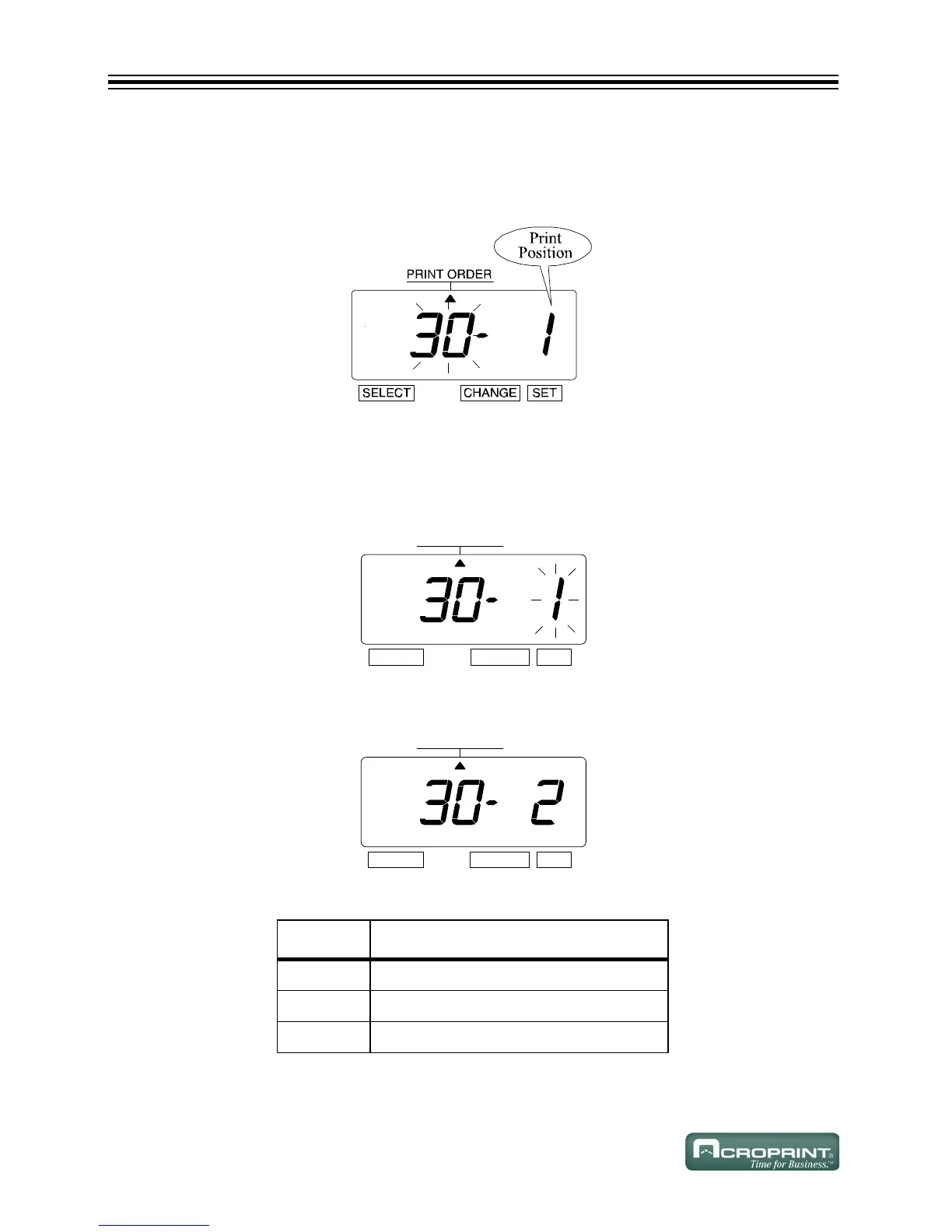
1. In this example, press CHANGE until the option is "30" (Customized Comments).
Refer to Print Order Options on page 14.
2. "Print Position" appears next to the flashing digit "Print Order".
Change Print Position Options
(Only available when using Custom Comments.)
1. Press SET.
2. The flashing digit changes from "Print Order" to "Print Position".
3. In this example, press CHANGE until option is "2" (Center).
4. Press SET.
Print Position Options
O
PTION COMMENT OPTIONS
1 ALIGN LEFT
2 CENTER
3ALIGN RIGHT



 To Next Page