Hardware Manual
25
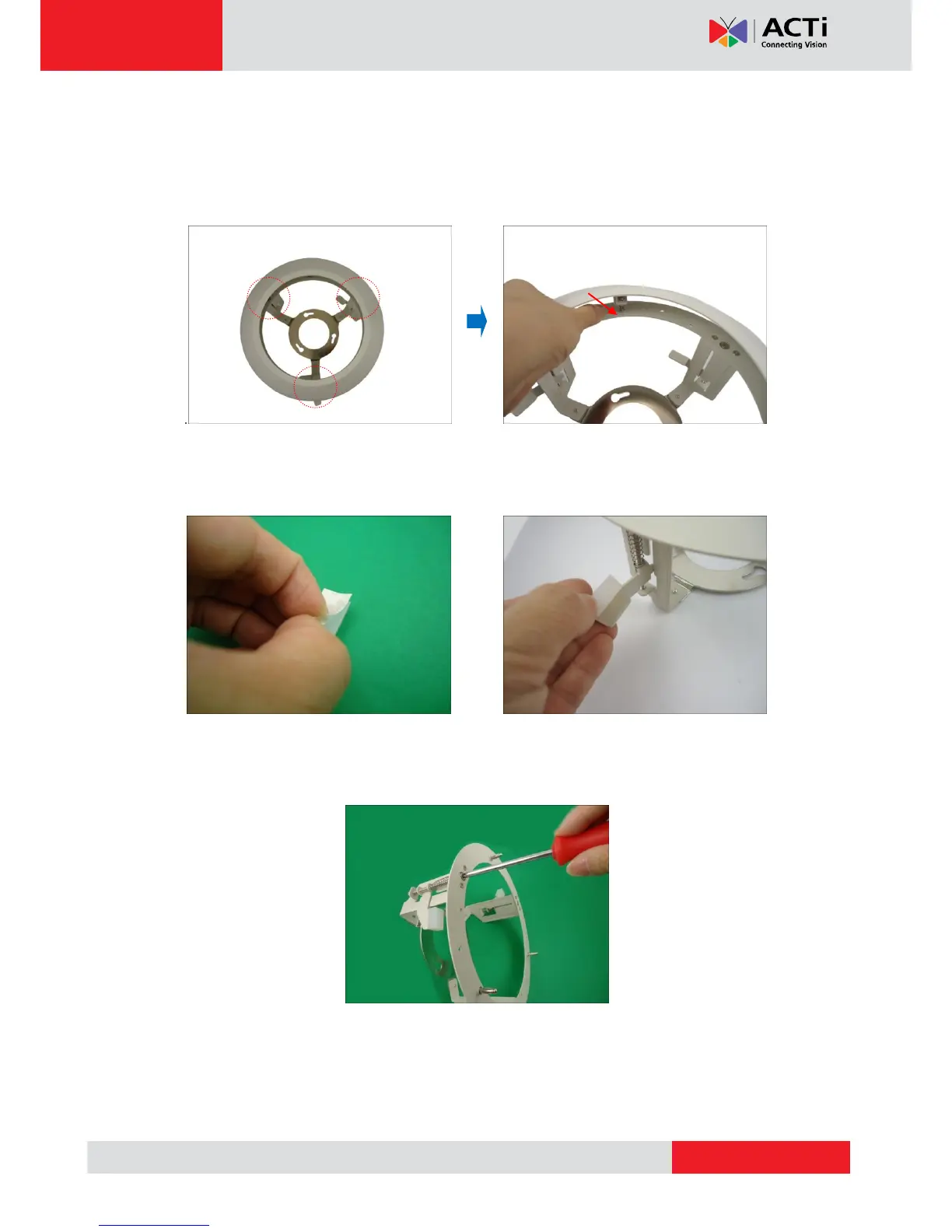
Step 2: Prepare the Flush Mount
1. Push to detach the cover ring from the mount as marked below. Then set the cover ring
aside.
2. Peel off the lining of the three (3) foam rubber pads and attach a rubber pad to each
retaining bracket.
Step 3: Loosen the Retaining Brackets
Using a screwdriver, loosen the retaining brackets according to the thickness of the ceiling.



 To Next Page