Hardware Manual
19
Using a Power Adapter (Optional)
The camera can be powered by a Power over Ethernet (PoE) switch that is IEEE802.3af
compliant. In case of using a non-PoE switch or your PoE switch has limited power supply, you
can purchase a power adapter and directly connect the camera to a power outlet.
After connecting the power adapter, make sure to protect the cable connection.
NOTE:
The power adapter is not bundled in the package.
Use the connector rubber cover if this connecter will not be used
Wrap the cable connectors with waterproof tape if the cable connections will be exposed
outdoors.
Step 5: Connect to Network
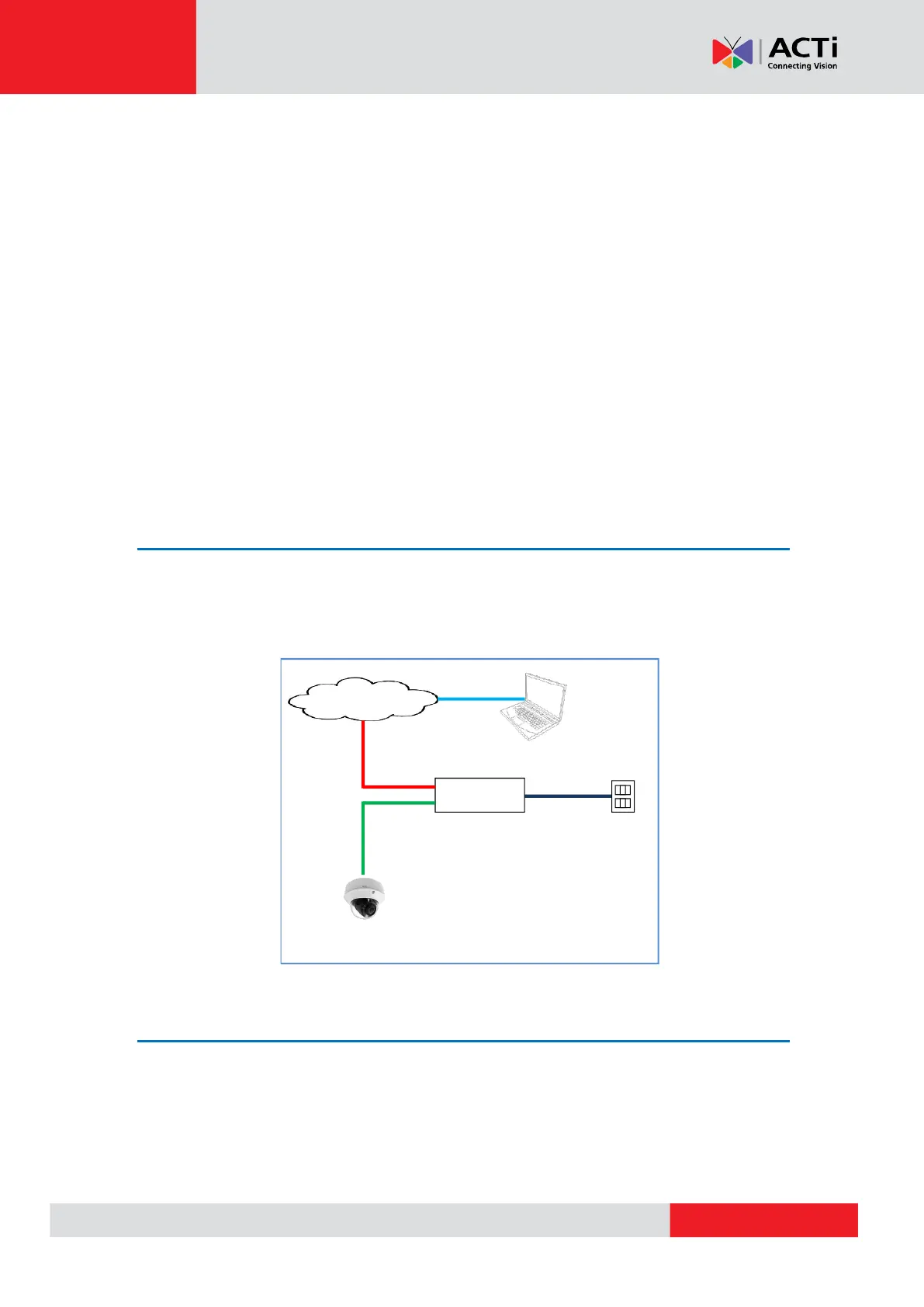
Connect the other end of the network cable to a switch or injector. Then, connect the switch or
injector to a network or PC and a power source. See Power-over-Ethernet (PoE) example
connection diagram below.
PoE Injector /
PoE Switch
Ethernet Cable
(Data + Power)
Step 6: Access the Camera Live View
See Accessing the Camera on page 30 for more information on how to access the Live View of
the camera.



 To Next Page