When I connect the my device to a wireless network (router/AP), why does
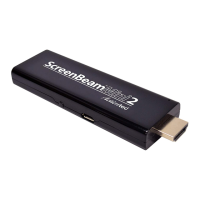
ScreenBeam Mini 2 disconnect automatically?
e device’s communication channel changes when you connect your device to a wireless
network. As a result, Receiver disconnects from the source device.
Connect your device to the wireless network before connecting it to the Receiver. With the
Receiver, device, and access point on the same channel, no connection interruption will
occur.
FAQs
Does ScreenBeam Mini2 support Apple devices?
No. e Receiver is not compatible with Apple devices.
How can I tell if my device supports Wi-Fi Miracast?
Look for one of the following Miracast applications on your device.
•
Wireless display
•
Wireless mirroring
•
Screen mirroring
•
AllShareCast (Samsung devices only)
•
Cast screen
Only some application names are listed above. Dierent manufacturers may have dierent
names for the Miracast apps on their products. Go to the ScreenBeam Mini 2 compatibility
page for a list of recommended Miracast devices.
Do I need to install drivers/apps to use the ScreenBeam Mini 2 Receiver?
•
For Windows 7/8, you may need to install the Intel WiDi (3.5 or higher) application.
•
For Windows 8.1, you only need to install the latest Windows updates.
•
For Android 4.2 or higher, no app is required.
Note: Your device must be Intel WiDi-compatible or Wi-Fi Miracast-capable.
How can I improve my video/audio performance?
Try the following:
•
Set the Receiver to use the 5G band (connect your source device to a 5G router, and
then connect your device to the Receiver).
•
Place your source device closer to the Receiver.
•
Connect the Receiver with the HDMI extension cable provided and place it in front of
the HDTV.



 To Next Page