Active Vision SX-420 User Guide
46
6. Network
The DVR provides a live remote monitoring feature. Remote monitoring requires installation of a
software client program on your PC. A LAN connection using the RJ45 connector on the rear
panel is mandatory for remote connection. For detailed features of the client program, please
refer to the client program user guide.
For local operation purposes, the frame rate is limited to 1 frame/sec when there is no recording
operation in the DVR. When recording is under progress, video frame rate for the live monitoring
will follow the recording frame rate.
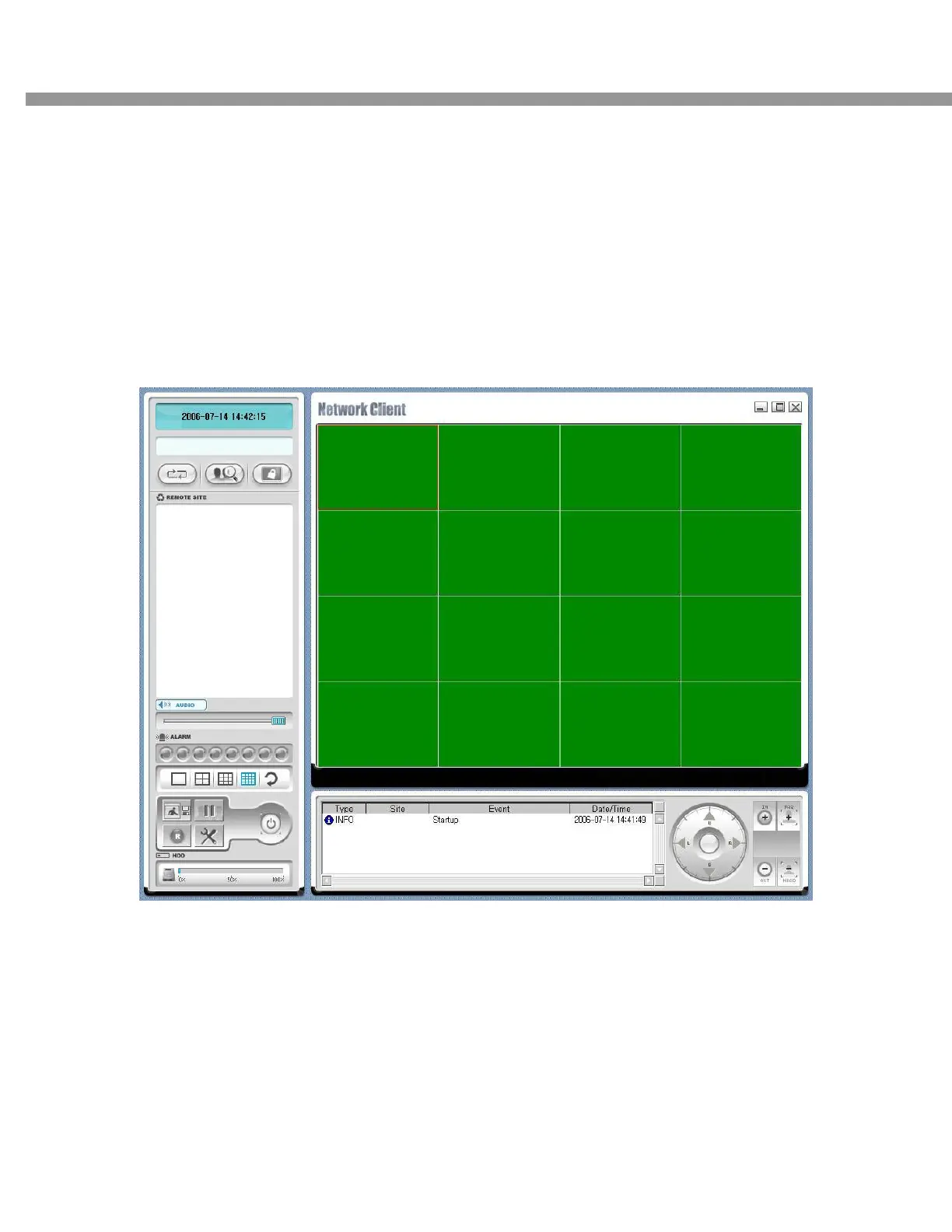
Figure 7.1. Main user interface
7-1. Overview
The remote software supports remote live viewing, search, playback and system configuration
By installing the Stand-Alone DVR remote software on a Window PC you can monitor real-time
and recorded images via optional Ethernet network. This includes the ability to monitor video,
playback recorded video and change operating parameters.


 To Next Page