User Guide
57
8. Using DDNS
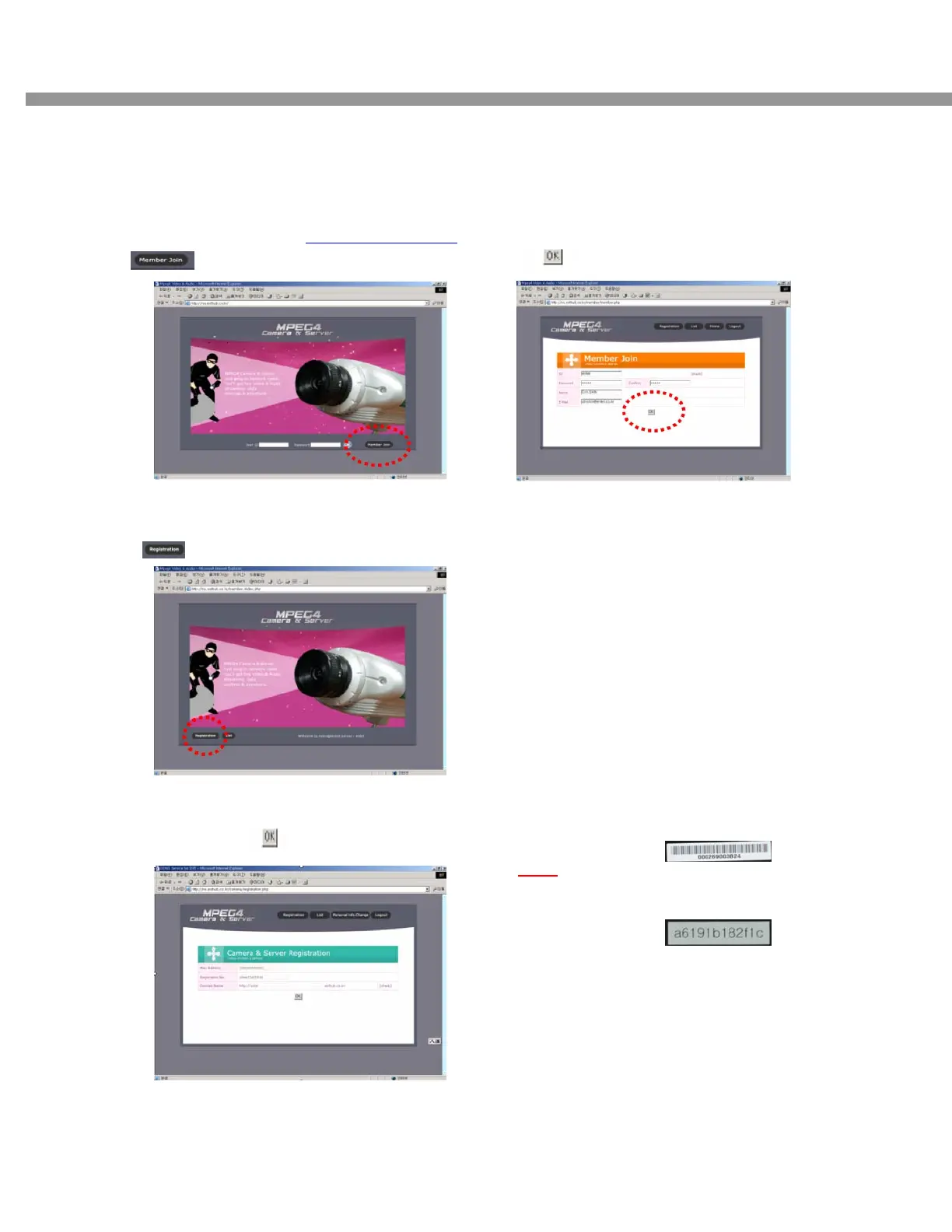
8-1. DDNS Registration Procedure
[Step 1]
Enter the DDNS Web site (http://www.esthub.co.kr
)
[Click]
[Step 2]
. Input ID, Password, Name, E-Mail
. [Click]
[Step 3]
. Start registration Procedure.
. [Click]
[Step 4]
. Input MAC Address, Registration No. ,
Domain Name. [click]
.MAC Address : Label means the Mac Address of
DVR
e.g) 000269003B24
.Registration No. : Each MAC Address has its
ownRegistration number.
.Domain Name : Input same user ID THEN User
Domain name is composed like ID.esthub.co.kr
e.g) In case, User ID is entel, then Domain name
would be entel.esthub.co.kr


 To Next Page