Active Vision SX-420 User Guide
48
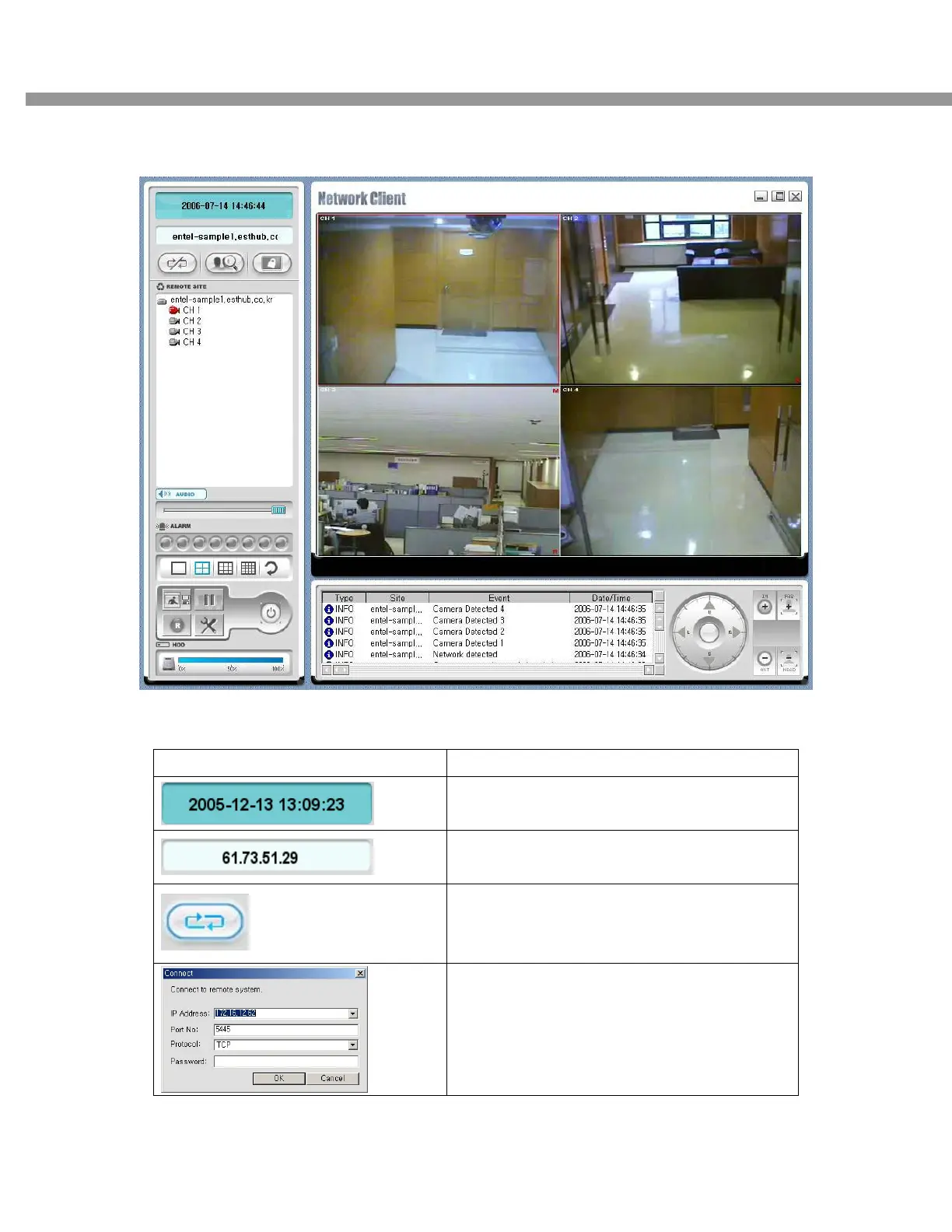
7-4-1. Main user interface
7-4-2. Main control panel
Button Description
Display of current time.
Display of current connected IP address
CONNECT
Click this icon to connect to the DVR
Once you click the connection icon, this pop up
window appears. Enter the IP address (or Sub-
domain name) and a port number. And select
the protocol type and enter password.


 To Next Page