User Guide
49
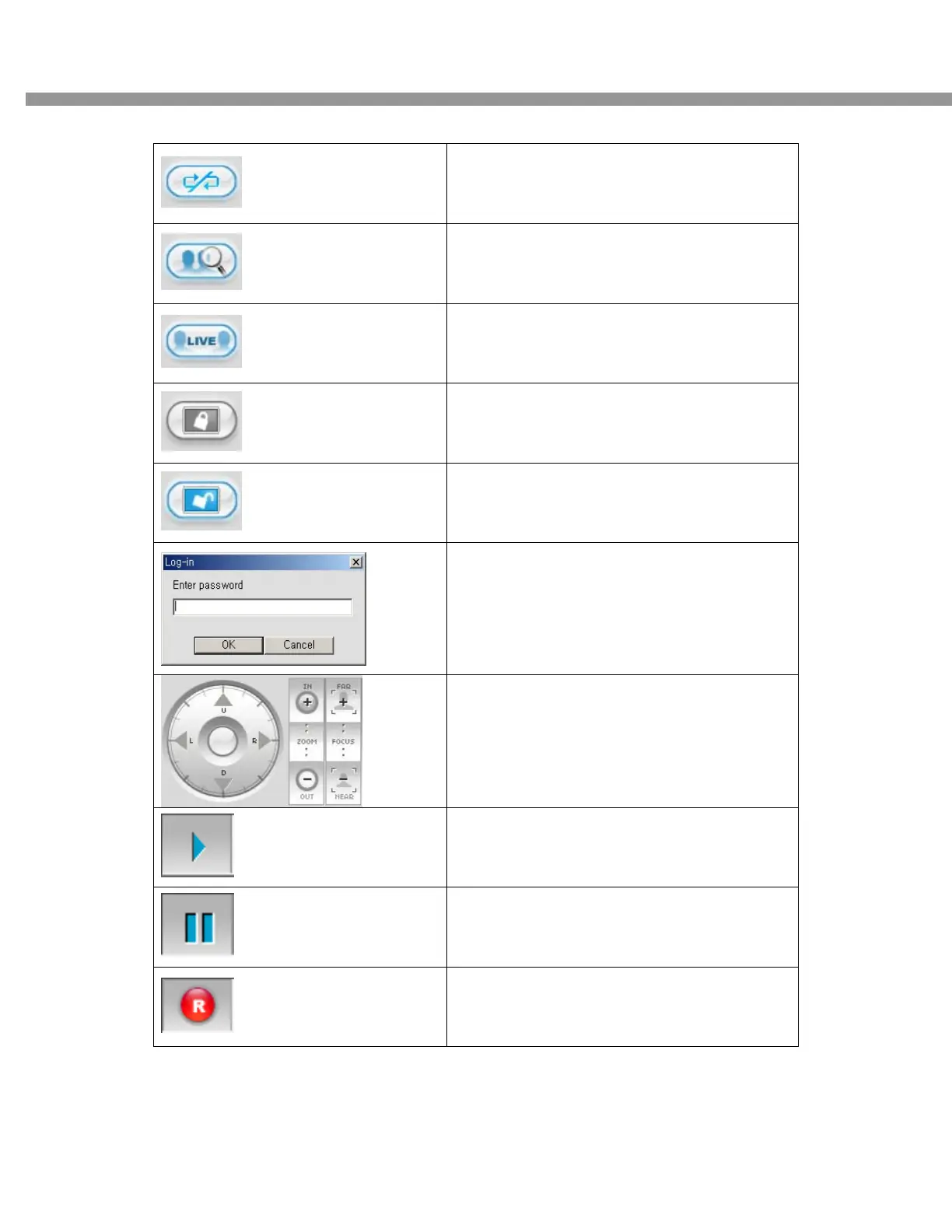
DISCONNECT
Click this icon to disconnect to the DVR
SEARCH
Click this icon to search for recorded videos.
LIVE
Click this icon to see a live video.
LOCK
Click this icon to lock all operations of client
software
UNLOCK
Click this icon to unlock all operations of client
software.
Once you click the lock or unlock icon, this pop
up window appears. You need to remember
the pass word and enter the pass word when
you try to operate the client software.
User can control PAN/TILT & ZOON FOCUS of
remote camera.
PLAY
Click this icon to play live video.
PAUSE
Click this icon to pause live video.
RECORD
Enable or disable recording of live video to
local disk which has set in setup menu


 To Next Page