User Guide
19
3. Getting Started – Setting Up the DVR
The following sections detail the initial setup of the DVR
3-1. Setup – Main Screen
When you press the SETUP button, the DVR will ask for a password. The default password is
1111, which can be entered by pressing the up button 4 times and then pressing the SEL button.
We recommend you protect the system by assigning a new password immediately. The
procedure for assigning a password is found in section 3.6. After a password has been assigned,
enter the password by using the
direction keys (representing 1, 2, 3, & 4), and then
press the SEL button for the password validation. Once the password is entered, you will see the
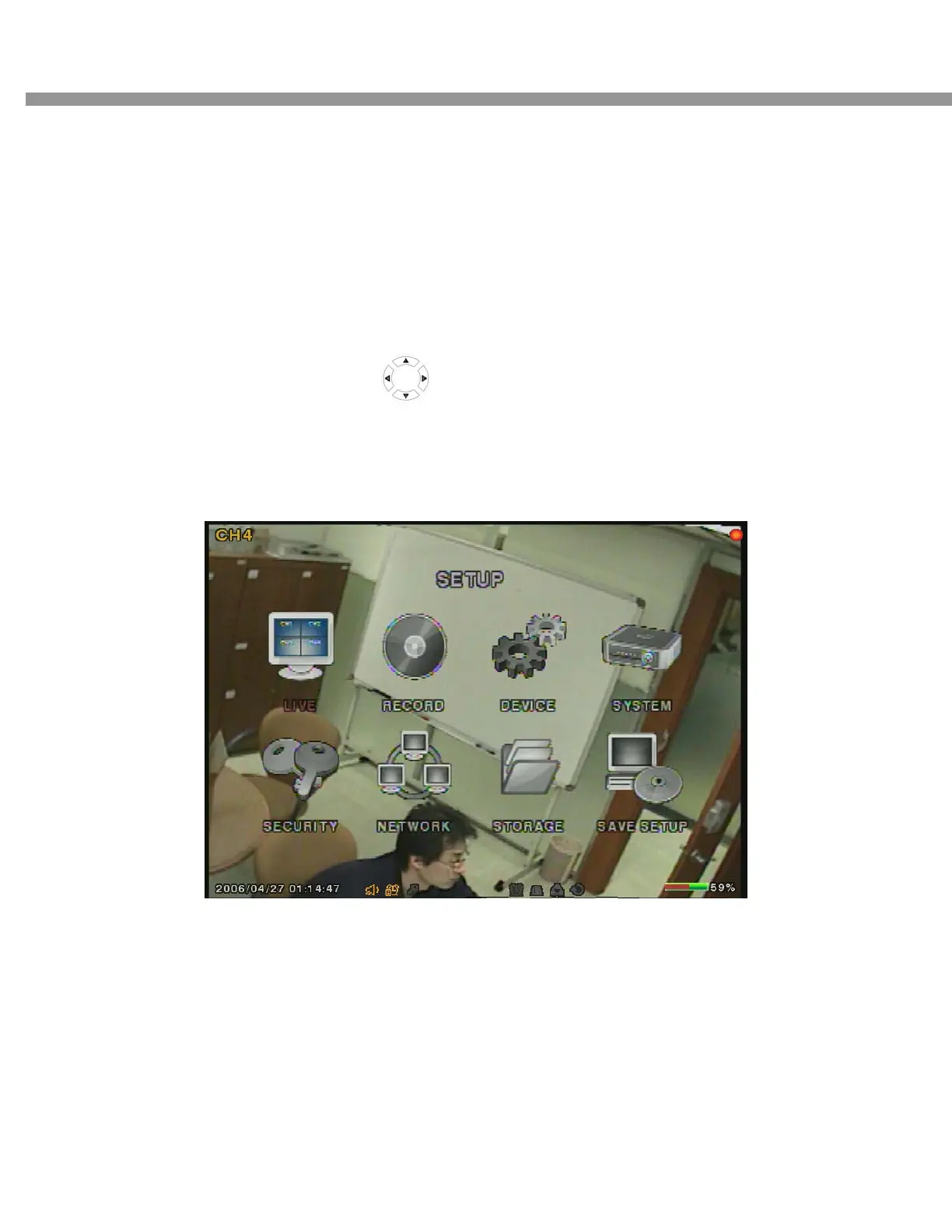
screen as shown in Figure 3.1.1. Navigate through the menu items and press the SEL button to
enter the sub-category menu.
Figure 3.1.1. Setup menu screen


 To Next Page