Active Vision SX-420 User Guide
58
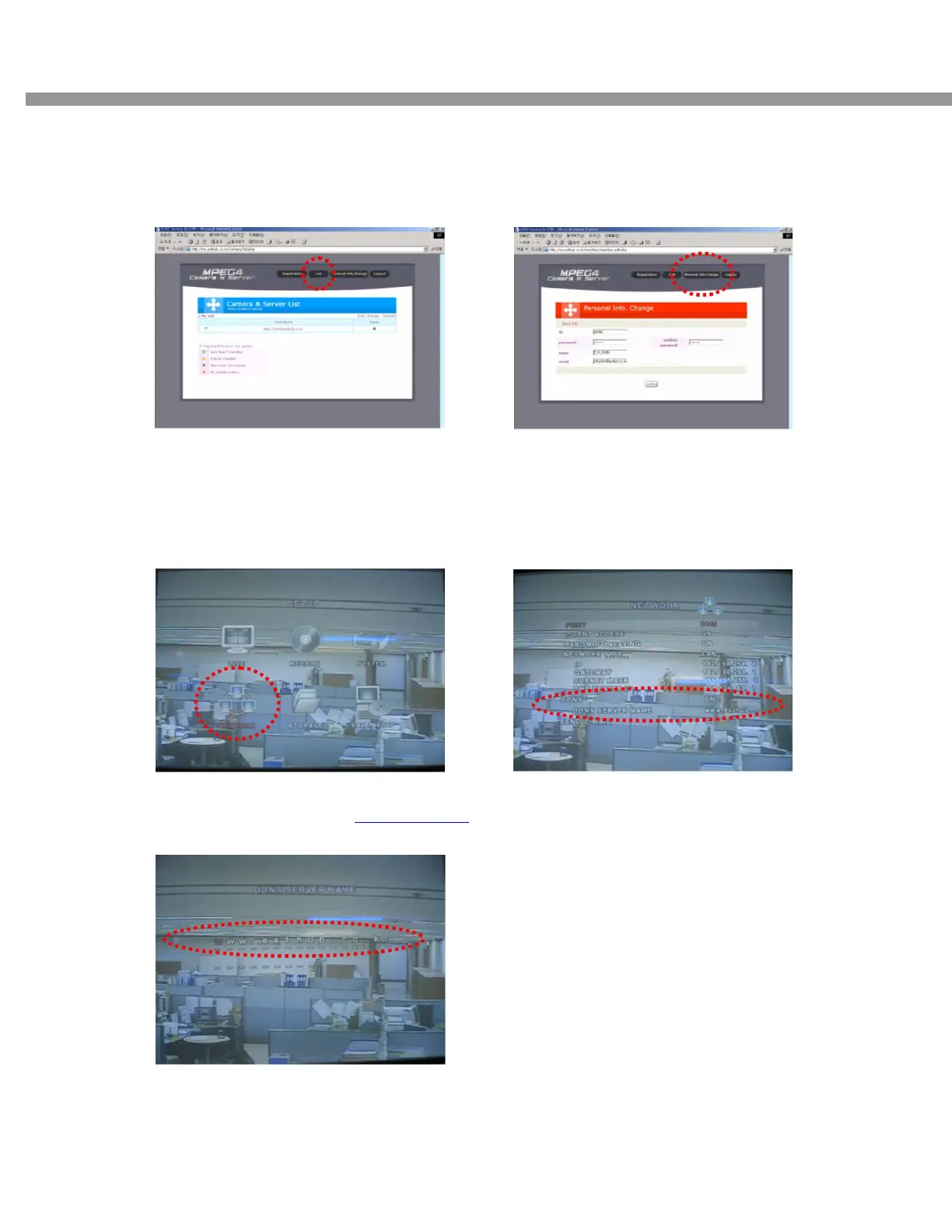
[Step 5]
. Able to confirm the present status of domain
name(entel.esthub.co.kr) in Server List.
[Step 6]
. When need to change the information of User,
Select Personal Info. Change button.
8-2. DVR SETUP
[Step 1]
. Go to SETUP, and Select Network to choose
DDNS enable.
[Step 2]
. Change the value on DDNS to ON.
[Step 3]
. Configure the DDNS address to www.esthub.co.kr
and save DVR then it will be reboot automatically.



 To Next Page