Active Vision SX-420 User Guide
52
EXIT
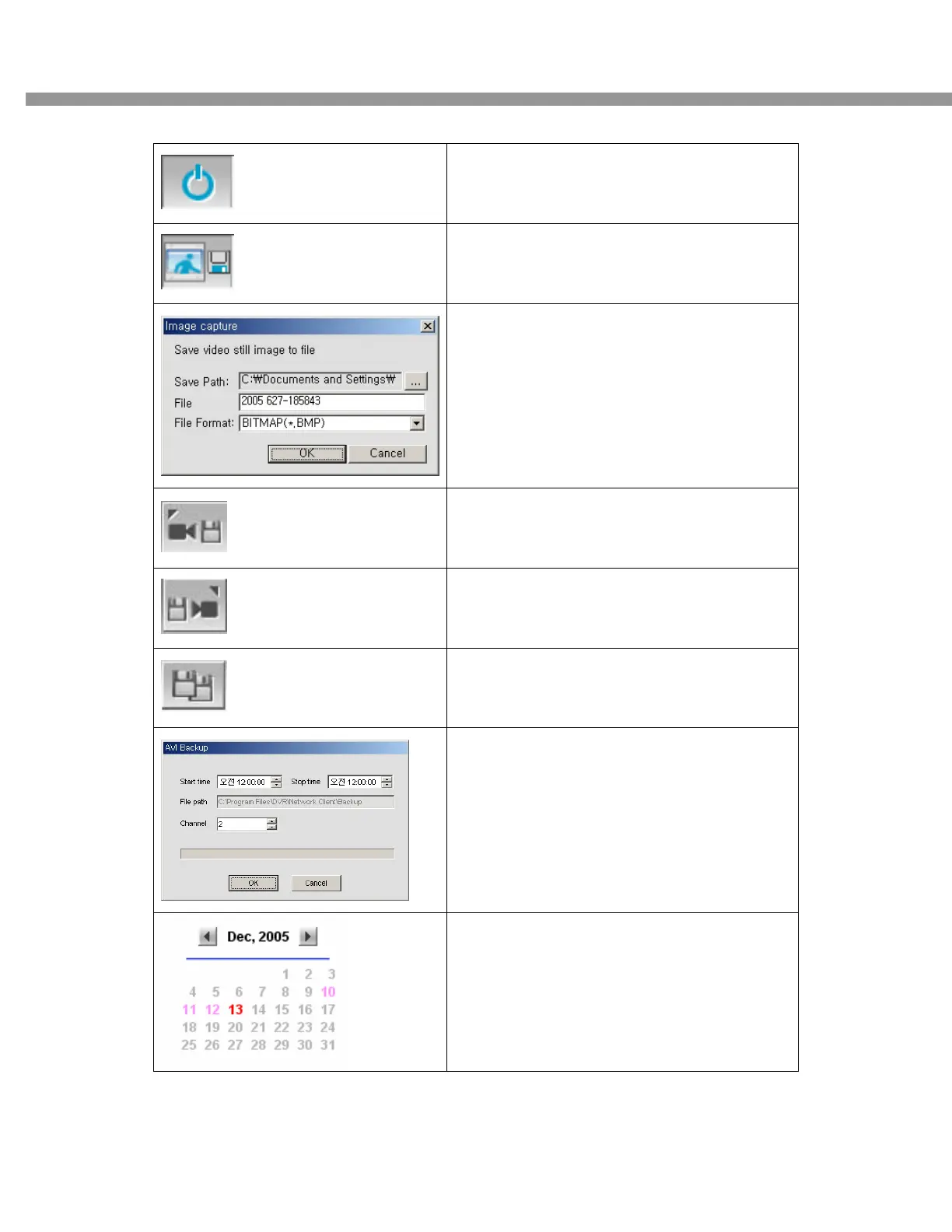
Click this icon to exit from the operations of
client software
CAPTURE
Click this icon to capture a still image of
recorded video.
Once you click the capture icon, this pop up
window appears. A still image is captured in
bmp file format.
MARK IN
Click this icon to set the beginning time for
backup of the recorded video in AVI format
MARK OUT
Click this icon to set the ending time for
backup of the recorded video in AVI format
BACKUP
Click this icon to backup the recorded video in
AVI format.
Once you click the backup icon, this pop up
window appears.
It shows the recorded date in blue bold and
selected date in black.


 To Next Page