28
Operation Manual - (CP05 / CP10) Commercial Control Interface
Doc. No. 0525-031 Ver. 3 190308
STATUS
Display Progression
A. On / Off Unit
B. Setpoint
Main Menu 1/8
C. Mode of Operation
C. Mode of Operation
Main Menu 5/8
D. Clock
E. Status
* *
Analogue Inputs
* *
Out Coil 1 Temp. : 8.0
O
C
Suct / coil Temp 1 : 6.3
O
C
Discharge 1 Temp : 60.2
O
C
Input / Output 01
* *
Analogue Inputs
* *
Discharge2 Temp : 58.3
O
C
Room temp. : 19.8
O
C
Out Coil2 Temp. : 8.8
O
C
Out. Air temp. : 12.8
O
C
Input / Output 02
Step 1 Step 2 Step 3 Step 4
* *
Digital Inputs
* *
Demand Manage 1 : _ _ _ _ _
Demand Manage 3 : _ _ _ _ _
A / Hours Input : On
Demand Manage 2 : _ _ _ _ _
Input / Output 04
* *
Digital Outputs
* *
Output 8 - On / Off : On
Input / Output 11
* *
Analogue Outputs
* *
Indoor Fan : 71.9%
Economy Cycle : 20.0%
Condenser 1 Fan : 20.0%
Condenser 2 Fan : 20.0%
Input / Output 07
C. Mode of Operation
Main Menu 5/8
D. Clock
E. Status
Step 5 Step 6 Step 7
A. On / Off Unit
B. Setpoint
Main Menu 1/8
C. Mode of Operation
Step 7
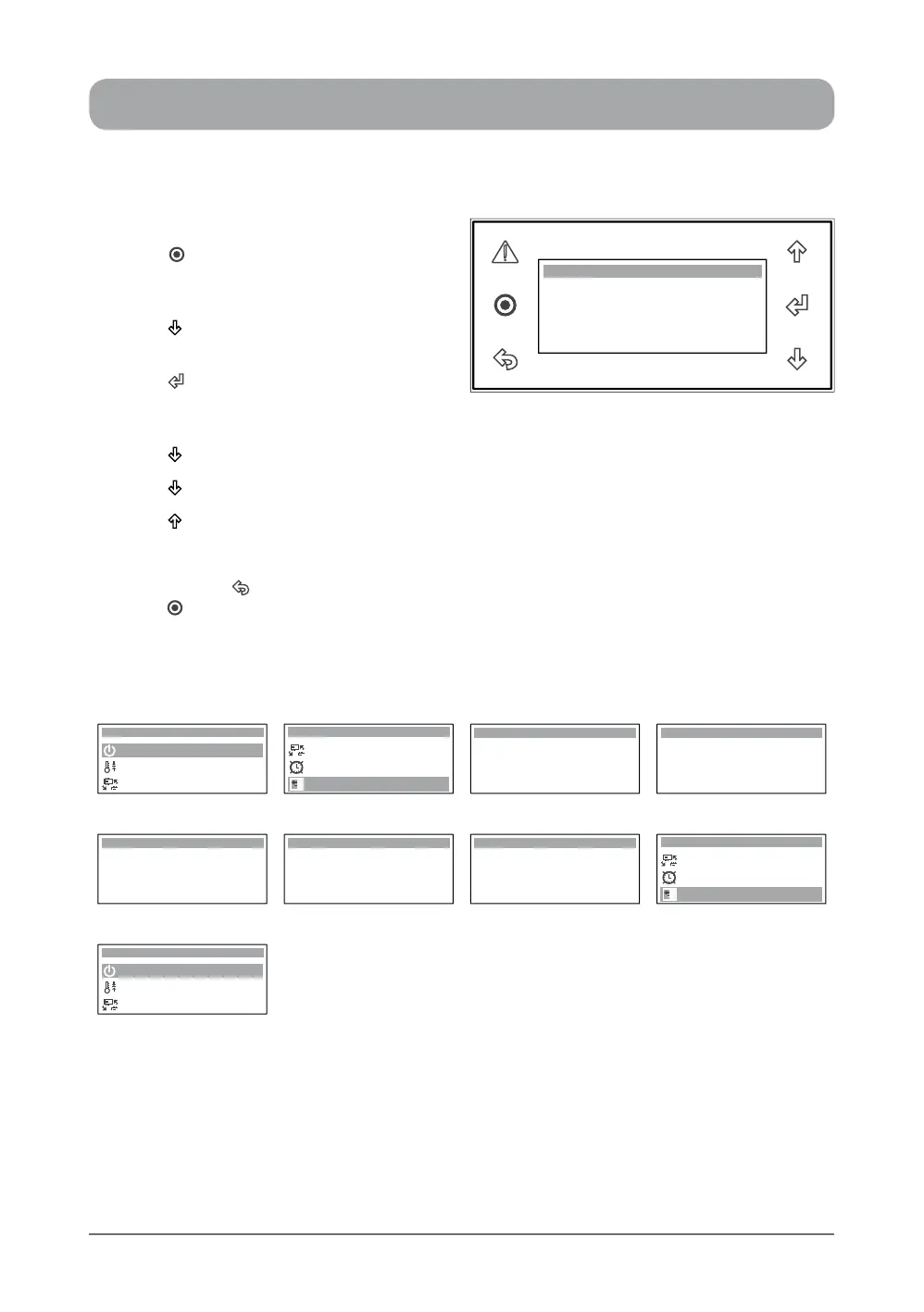
1. Press “ ” Button to get into the Main
Menu. Display will show Main Menu and
highlighted Sub-Menu A. On / Off Unit.
2. Press “ ” Button to scroll down to E.
Status sub-menu.
3. Press “ ” Button to enter E. Status sub-
menu. Display will show the rst screen
under this sub-menu.
4. Press “ ” Button to scroll down to the second screen and view the operating parameters.
5. Press “ ” Button repeatedly to scroll down to the next succeeding operating parameter screens.
6. Press “ ” Button to scroll up and to view the previous screens.
TO RETURN TO THE MAIN MENU
7. Keep pressing “ ” (Escape / Return) Button until you get to the Main Menu screen. Otherwise
press “ ” Button.
* *
Analogue Outputs
* *
Indoor Fan : 71.9%
Economy Cycle : 20.0%
Condenser 1 Fan : 20.0%
Condenser 2 Fan : 20.0%
Input / Output 07


 To Next Page