
EasyManua.ls Logo

ActronAir CP05 - User Manual

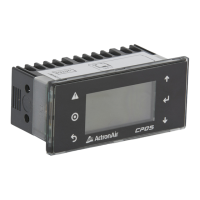
ActronAir CP05
36 pages
Print Icon
To Next Page IconTo Next Page
Loading...
Please Read This Manual
Congratulations on your purchase of an
ActronAir air conditioning system. This unit
has been designed and manufactured with
the highest quality standard in mind.
Please read this manual thoroughly and keep
it near the unit for future reference.
®
Copyright © 2016 Actron Engineering Pty. Ltd. All rights reserved.
This manual is a controlled document which contains condential and proprietary information.
Distribution, modication, copying and/or reproduction are prohibited without written consent from ActronAir.
COMMERCIAL AIR CONDITIONING SYSTEM
CONTROL INTERFACE
Operating Instructions
Model Number
CP05
(Supplied as Standard)
Model Number
CP10
(Optional)
Esc
Prg

Other manuals for ActronAir CP05

Questions and Answers

  • J
    Jeremy DavisAug 19, 2025
    Why is my ActronAir Control Unit cooling/heating not sufficient?
    • P
      Patricia SmithAug 19, 2025
      Insufficient cooling or heating in your ActronAir Control Unit might occur if the return air filter is clogged with dust and dirt. Ensure that the air inlet and outlet on the outdoor unit are not blocked. Also, the outside temperature being above or below the design conditions can affect performance.
  • C
    Charles JohnsonAug 21, 2025
    What to do if my ActronAir Control Unit system does not start?
    • D
      Diane HarrisonAug 21, 2025
      If your ActronAir Control Unit system isn't starting, verify that at least five minutes have passed since turning it on, as the system includes built-in timers. Also, check that the setpoint temperature settings are correct, ensuring it's set low enough for cooling or high enough for heating.
  • T
    Tiffany GreenAug 23, 2025
    Why is my ActronAir CP05 making noises?
    • J
      Jennifer StewartAug 23, 2025
      Your ActronAir Control Unit may produce swishing or gurgling noises when heating or cooling starts or stops; this is normal and caused by refrigerant flowing between the units. A swooshing noise from the outdoor unit during operation occurs when the refrigerant changes direction during defrost. The outdoor unit might be louder than usual on start-up as the compressor reaches designated speed and pressure, and the compressor may generate more noise than normal during defrost.
  • W
    Wesley DelacruzAug 26, 2025
    Why is steam coming out of my ActronAir CP05 outdoor unit?
    • K
      Kelly GarciaAug 26, 2025
      The steam coming from your ActronAir Control Unit's outdoor unit during heating operation in cold conditions is due to the defrosting process.
  • K
    Kim BeasleyAug 28, 2025
    Why is water dripping from my ActronAir CP05 outdoor unit?
    • R
      Robert ThompsonAug 28, 2025
      Water dripping from the ActronAir Control Unit outdoor unit during heating is normal, resulting from condensation on the heat exchanger.
  • L
    lopezrhondaAug 30, 2025
    Why does ActronAir CP05 Control Unit not flow air from the indoor unit?
    • S
      Stephanie ClarkAug 30, 2025
      During heating, your ActronAir Control Unit might not release air for about 15 seconds after startup; this is to prevent cold drafts.
  • M
    millermichelleSep 1, 2025
    Why is my ActronAir Air Conditioner Accessories cooling or heating not sufficient?
    • M
      Michael MartinezSep 1, 2025
      Insufficient cooling or heating in your ActronAir Air Conditioner Accessories can occur due to several reasons: * The indoor return air filter might be clogged with dust and dirt, which reduces the effectiveness of the cooling/heating function. * The air inlet and outlet on the outdoor unit may be blocked. * The outside temperature might be above or below the design conditions for optimal performance.
  • J
    Jenny LoganSep 4, 2025
    Why is my ActronAir Air Conditioner Accessories making noises?
    • R
      Robert RosarioSep 4, 2025
      Your ActronAir Air Conditioner Accessories may produce different types of noises during its operation. When heating or cooling starts or stops, a swishing or gurgling noise might be heard due to the refrigerant flowing between the units. A swooshing noise from the outdoor unit can occur when the refrigerant changes direction during defrost. Also, the outdoor unit might be louder than normal on start-up until the compressor reaches the required speed and pressure, and the compressor may generate more noise during defrost.
  • S
    Stephanie PadillaSep 6, 2025
    What to do if my ActronAir Air Conditioner Accessories system does not start?
    • A
      Andrew MurraySep 6, 2025
      If your ActronAir Air Conditioner Accessories system doesn't start, verify that at least 5 minutes have passed since turning it on, as the system has built-in timers. Also, check that the setpoint temperature settings are correct, ensuring it's set low enough for cooling or high enough for heating.
  • D
    daniellegatesSep 9, 2025
    Why is steam coming out of my ActronAir Air Conditioner Accessories outdoor unit?
    • M
      Mary BarrSep 9, 2025
      Steam coming from the outdoor unit of your ActronAir Air Conditioner Accessories is normal. It is caused by the defrosting process during heating operation in cold conditions.

Summary

General Information

Safety and Operational Precautions

Outlines critical safety measures and precautions for operating the unit.

Control Interface Functions

Turn On;Off

TO TURN-ON THE UNIT

Step-by-step guide on how to turn the air conditioning unit on using the control interface.

TO TURN-OFF THE UNIT; SELECT FAN ONLY MODE

Instructions for turning the unit off or selecting the fan-only operation mode.

Setting Room Temperature Setpoint

Setting the Temperature Setback

Operation Mode

CHANGING THE MODE OF OPERATION

Guide on how to change the operating mode (e.g., Cool Only, Heat Only).

TO SELECT COOL ONLY MODE (from HEAT ONLY mode)

Specific steps to switch from Heat Only to Cool Only mode.

CHANGING THE FAN MODE

Instructions for selecting the fan operating mode (e.g., Auto Cycle, Continuous).

Setting the Clock

Daylight Saving Time Enable

Daylight Saving Time Disable

7-Day Programming

After Hours Timer

12 Programmable Special Days

Status

Alarm History

TO RESET THE ALARM

Procedure for resetting individual alarms without clearing the log.

TO CLEAR THE ALARM HISTORY

Steps to clear the entire alarm history log.

Alarm Matrix

Troubleshooting Guide

Maintenance

MAINTENANCE PROCEDURES

Details the specific procedures required for routine maintenance of the unit.

PERIODIC MAINTENANCE CHECKPOINT

Lists monthly inspections and checks for unit maintenance.

ANNUAL MAINTENANCE CHECKLISTS

Outlines annual inspection and maintenance tasks for the unit.

System Configurations

ActronAir CP05 Specifications

General IconGeneral
BrandActronAir
ModelCP05
CategoryControl Unit
LanguageEnglish

Related product manuals