15
100S Reference Manual
OPERATION
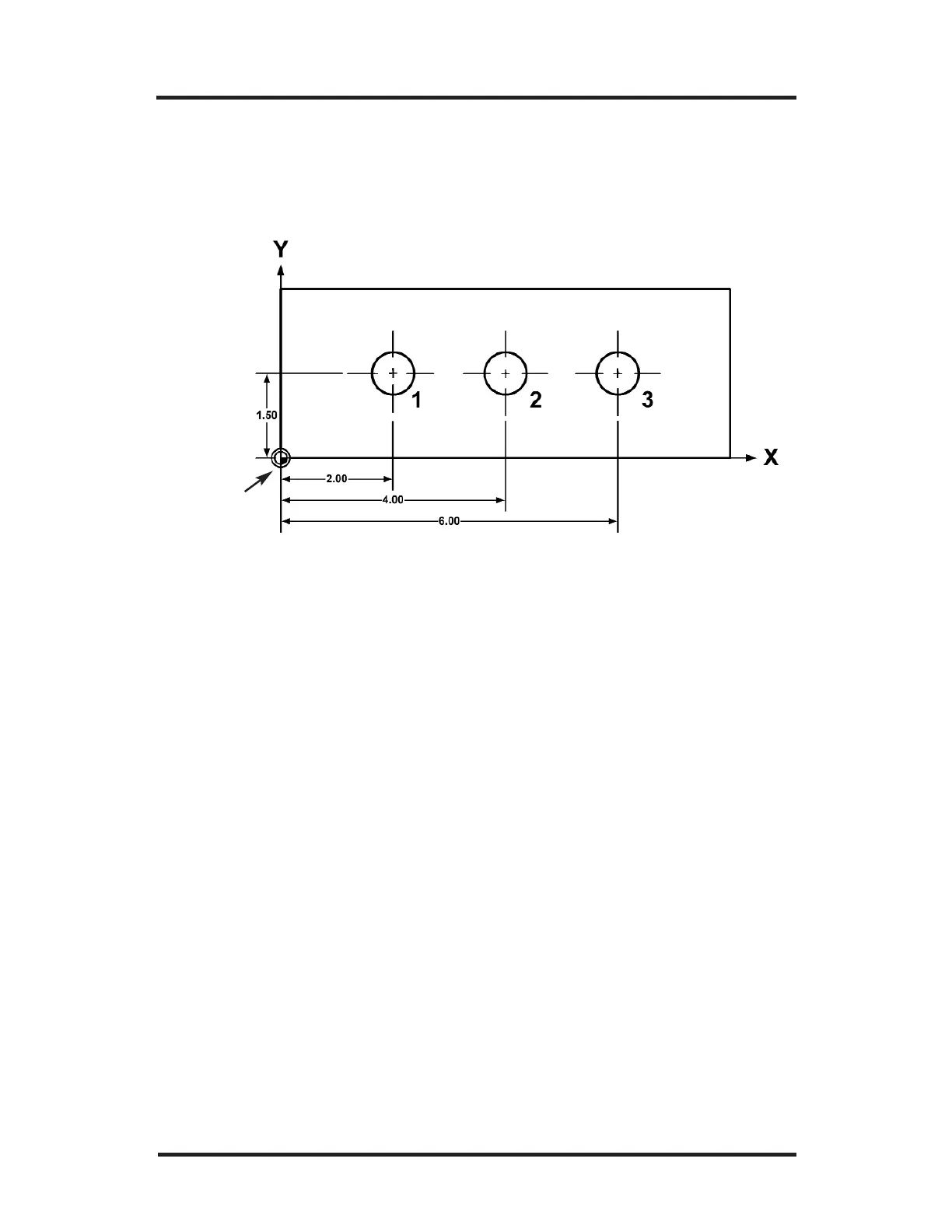
Here’s how you would drill the holes using absolute dimensions.
Notice that all of the dimensions are measured from the point that
was established as datum (0, 0, 0).
• Check that ABS is selected on the DRO display (press the
ABS/INCR key, if necessary). By selecting ABS, you’re telling
100S to measure the machine’s movement on the X-, Y-,
and Z-axes from your datum (0, 0, 0).
• Press the
MM key until “Inches” is selected (the MM LED
is not lit up).
• For Hole 1, move the table until X = 2.00” and Y = 1.5”.
Drill Hole 1.
• Move the table until X = 4.00” and Y = 1.5”. Drill Hole 2.
• Move the table until X = 6.00” and Y = 1.5”. Drill Hole 3.
Let’s say that your print looks like this:
Example: Absolute Dimensions
Datum



 To Next Page