100S Reference Manual
23
OPERATION
4. Press the X key. Using the keypad,
define the center point of the bolthole
pattern on the X-axis. Use a decimal
point and minus (-) sign when neces-
sary.
5. Press
ENTER.
Creating a Bolthole Pattern
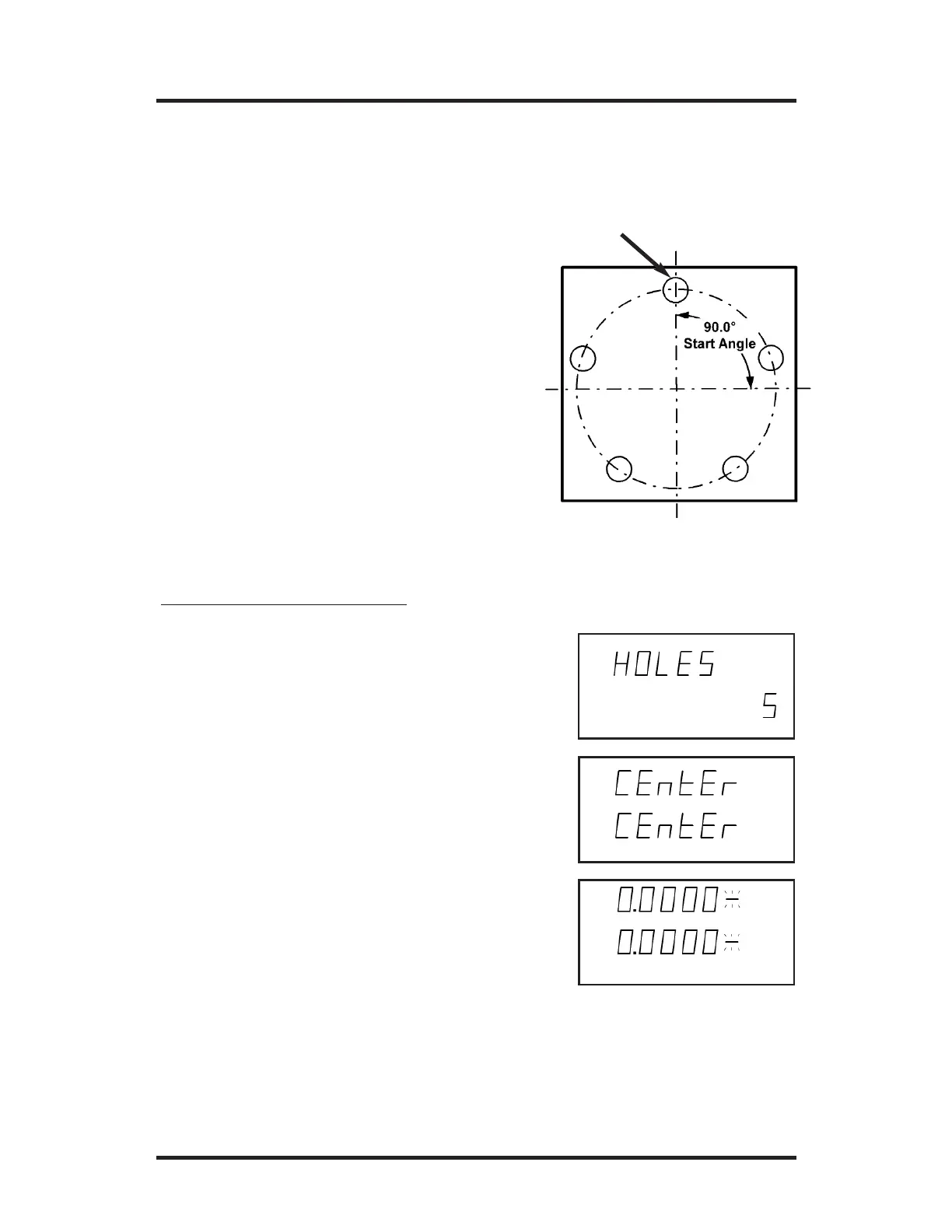
A bolthole pattern is defined by its
number of holes (up to 99), center
point, radius, and start angle.
100S will automatically position “Hole
1” at the start angle and space the
holes equally throughout the pattern.
To create a bolthole pattern:
Bolthole Patterns
1. Press the BOLT DEF key. "HOLES"
will appear on the X-axis display.
2. Enter the number of holes (1-99) in the
pattern. Press the
ENTER key.
3. Press the ENTER key again. “Center”
will appear , and then a flashing dash will
appear on the X- and Y-axes.
Hole 1



 To Next Page