100S Reference Manual
17
OPERATION
Example: Incremental Dimensions
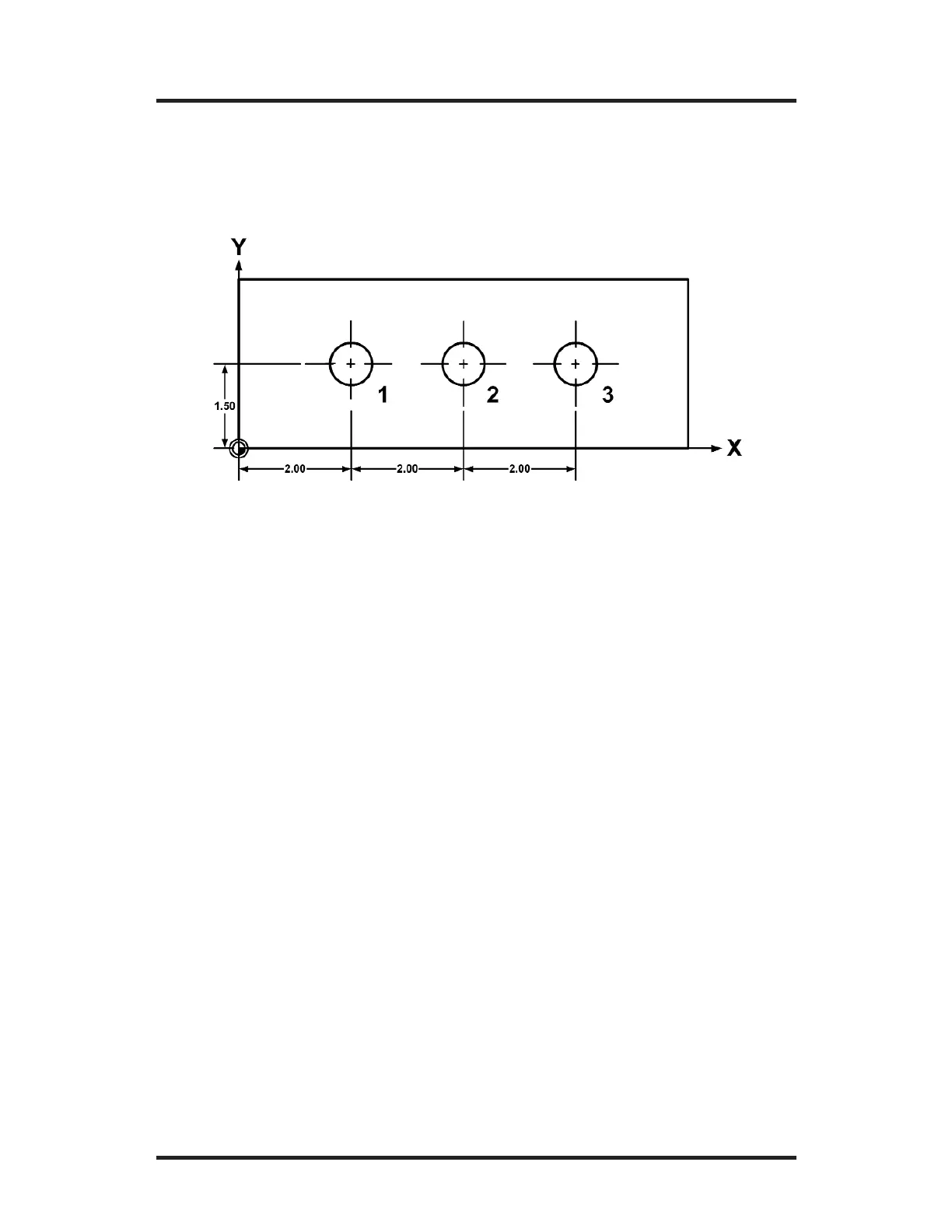
Let’s say that your print looks like this:
Hole 1 is an absolute dimension (measured from the datum), while
Holes 2 and 3 are measured incrementally. By putting
100S in the
incremental mode for the last two holes, you can measure their
distances just as the print specifies, without any calculations.
1. Press the
ABS/INCR key until ABS is selected on the DRO
display. Press the MM key until “Inches” is selected (the MM
display is not lit up).
2. For Hole 1, move the table until X = 2.00” and Y = 1.5”. Drill
Hole 1.
3. Now press the
ABS/INCR key so that INCR is selected on the
DRO display. This tells
100S that you want to measure the
distance from the current position to the next point.
4. Press the
ZERO keys that are below the X- and Y-axes keys. This
resets the X- and Y-axes displays at “0.”
5. Move the table until X = 2.00” and Y = 0.000”. Drill Hole 2.



 To Next Page