8
Atomic Clock
AcuRite atomic clocks use a radio-controlled signal to synchronize to the
correct time broadcast by the National Institute of Standards and Technology
(NIST) Radio Station WWVB, located near Fort Collins, Colorado. WWVB
broadcasts the current time and date with split-second accuracy.
This AcuRite atomic clock will maintain itself to the correct time, and
automatically adjust itself for daylight saving time to provide the most accurate
timekeeping standard possible.
Please note: The atomic signal generally takes a few hours to synchronize, so it
is important to manually set the time and date after powering on the display.
Set the Time, Date & Units
The clock and calendar are utilized to time stamp history records and other
data, so it is important to set the time and date soon after you power on the
display unit.
Press and HOLD the “SET” button to enter SET MODE. Once in set mode, the
preference you are currently setting will blink on the display.
To adjust the currently selected (flashing) item, press and release the “ ” or
“ ” buttons (press and HOLD to fast adjust).
To save your adjustments, press and release the “SET” button again to adjust
the next preference. The preference set order is as follows:
TIME ZONE (PST MST CST EST AST HAT [HAST] AKT [AKST])
AUTO DST (Automatically adjust time -/+ on DST dates)*
CLOCK HOUR
CLOCK MINUTE
CALENDAR MONTH
CALENDAR DATE
CALENDAR YEAR
UNITS: TEMPERATURE (ºF or ºC)
UNITS: PRESSURE (inHg or mb)
UNITS: WIND SPEED (mph, kph, knots)
You will automatically exit SET MODE if no buttons are touched for 30
seconds. Enter basic setup mode at any time by pressing the “SET” button.
*If you live in an area that observes Daylight Saving Time, DST should be
set to ON even if it is not currently Daylight Savings Time.
13
Inaccurate
temperature or
humidity
• Make sure both the display unit and 3-in-1 sensor
are placed away from any heat sources or vents
(see page 9).
• Make sure both units are positioned away from
moisture sources (see page 9).
• Make sure 3-in-1 sensor is mounted at least 5ft off
of the ground.
• Calibrate indoor and outdoor temperature and
humidity (see page 15).
Display screen
not working
• Check that the batteries are installed correctly.
Batteries may need to be replaced.
Atomic signal or
time syncing
problems
For additional troubleshooting, please visit:
http://www.nist.gov/pml/div688/grp40/
radioclocks.cfm
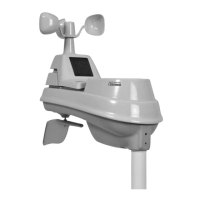
Inaccurate wind
readings
• What is wind reading being compared to? Pro
weather stations are typically mounted at 30ft
high or more. Make sure to compare data using
a sensor positioned at the same mounting height.
• Check location of the sensor. Ensure itʼs mounted
a minimum of 5ft in the air with no obstructions
around it (within several feet).
• Ensure wind cups are spinning freely. If they
hesitate or stop try lubricating with graphite
powder or spray lubricant.
If your AcuRite product does not operate properly after trying
the troubleshooting steps, visit www.AcuRite.com or call
(877) 221-1252 for assistance.
Problem Possible Solution
Troubleshooting


 To Next Page