20
HIGHLIGHTS - SUGGESTED SETTINGS
INSTANT ON
Your ad notam screen will power ON/OFF within 1 second.
All screen settings are done via the on screen display (OSD)
menu. Access this menu selecting the SETUP key. Scroll
EXPERT TIPS.
Use this setting when connecting a single play out unit to
your device.
INPUT SCAN
Your ad notam screen will automatically power ON/OFF
depending from incoming signals from your play out units.
(De)activate the automatic scan of the input ports for a
valid video signal. Once there is no video signal at the
currently selected input port the screen will search for a
video signal on the other ports by the following sequence:
HDMI 1 > HDMI 2 > > HDMI 1... and so on (See also
SIGNAL LOSS TIMER)
All screen settings are done via the on screen display (OSD)
menu. Access this menu selecting the SETUP key. Scroll
EXPERT TIPS.
Use this setting when connecting more play out units to
your device.
BACKLIGHT
Your ad notam screen´s backlight is set to guarantee a
satisfactory brightness in an optimal environment.
You can adjust the general brightness of the backlight
choosing in a range from 20% up to 100%.
down
according to your personal taste.
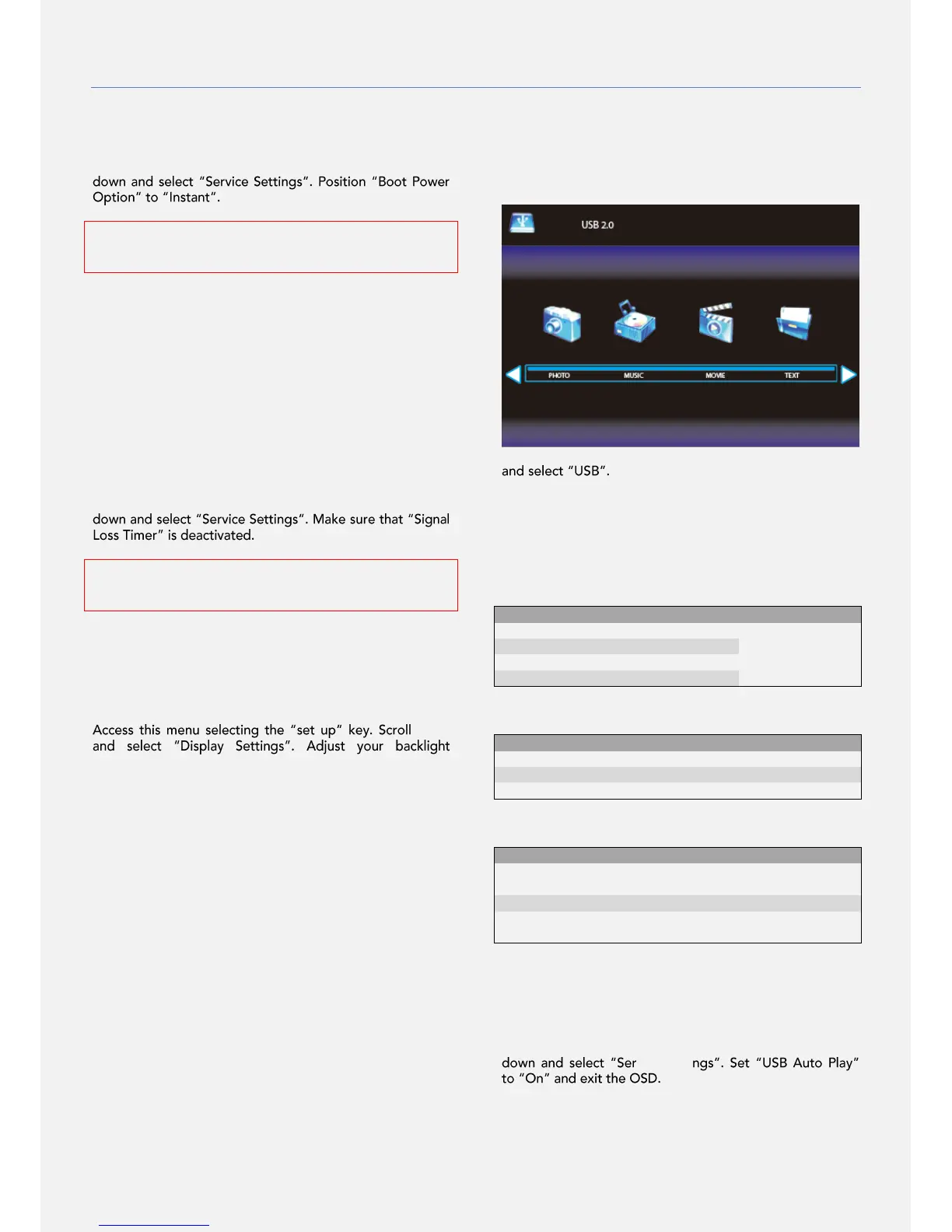
USB & MEDIA PLAYER
Watch your photos, listen to your music, play your movies
and read your documents.
Save a movie clip on a USB and connect it to the USB Input
of the screen.
Access this menu selecting the SOURCE key. Scroll down
Choose between PHOTO, MUSIC, MOVIE and TEXT
according to the file you aim to open. Scroll with the cursor
and select your file. To return press the EXIT key or press
OK on selecting the RETURN icon. While viewing your files
access the toolbar pressing the OK key.
MOVIE
USB AUTO PLAY
Your ad notam screen will play your movie clip automatically
when turning ON the device.
It can be combined with the instant on functionality.
All screen settings are done via the on screen display (OSD)
menu. Access this menu selecting the SETUP key. Scroll
vice Setti
EXPERT TIPS.
Activate and select the USB Input in the OSD menu (Read
Service Settings in this manual for additional information).


 To Next Page