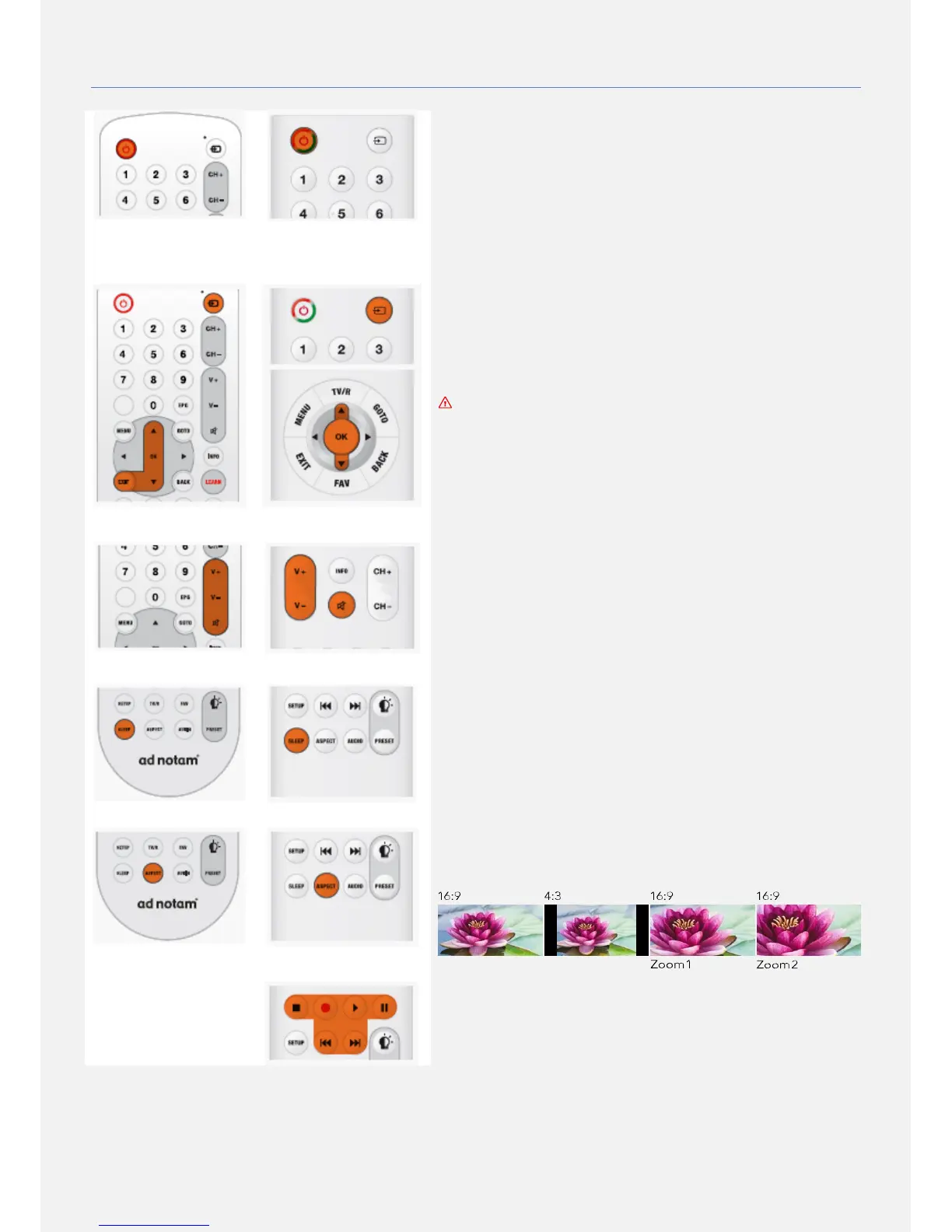
SWITCH ON/OFF
Make sure you plugged in the mains power on the back of your product
or to the external power adapter before trying to switch ON. Make sure
your remote is equipped with batteries and that its LED indicator is
lighting once a button is pressed. Once power is applied to your screen it
will first power to STANDBY mode and its front status LED will turn red.
Once turned ON the status LED will change color to green, the boot logo
will appear and the last selected INPUT SOURCE will be displayed. Use
you remote's power key to swith between ON and STANDBY mode.
SELECT SOURCE
With the remote's source key you can open the on- screen INPUT
SOURCE list and switch to your desired source using the up and down
cursor keys followed by the OK key. In order to close the on-screen
INPUT SOURCE list without changing your current source please press
the exit key.´
The INPUT SOURCE list will show only ENABLED inputs. By factory
default the USB input is DISABLED. In order to have more info on
how to enable and disable inputs please refer to the SETTINGS
section in this manual.
ADJUST THE VOLUME AND MUTE
In order to adjust the sound volume please use the volume up and volume
down keys. The mute key will toggle between mute mode (no sound) and
un-mute mode (restores last volume level). Once in mute mode amute
icon will be displayed on screen.
SCREEN SLEEP TIMER
With the sleep timer, you can set the screen to switch to STANDBY
automatically after a preset time.
To set the sleep timer press the sleep key to toggle between the
following presets: OFF, 15min, 30min, 45min, 60min, 90 min and 120min.
You can always switch off your screen earlier during the timer countdown.
CHANGE IMAGE FORMAT
Adjust the image format to suit your preference using the aspect button.
The aspect ratio presets are:
16:9, 4:3, Zoom1 and Zoom2.
USB MEDIA PLAYBACK
The playback keys are used to control the media player assigned to the
USB port. Those keys are available only in our SLIMLINE IR REMOTE
model.


 To Next Page