22
CONNECT YOUR PRODUCT
EXPERT TIPS. Disconnect the mains power before connecting any of the inputs below.
AUDIO/ VIDEO
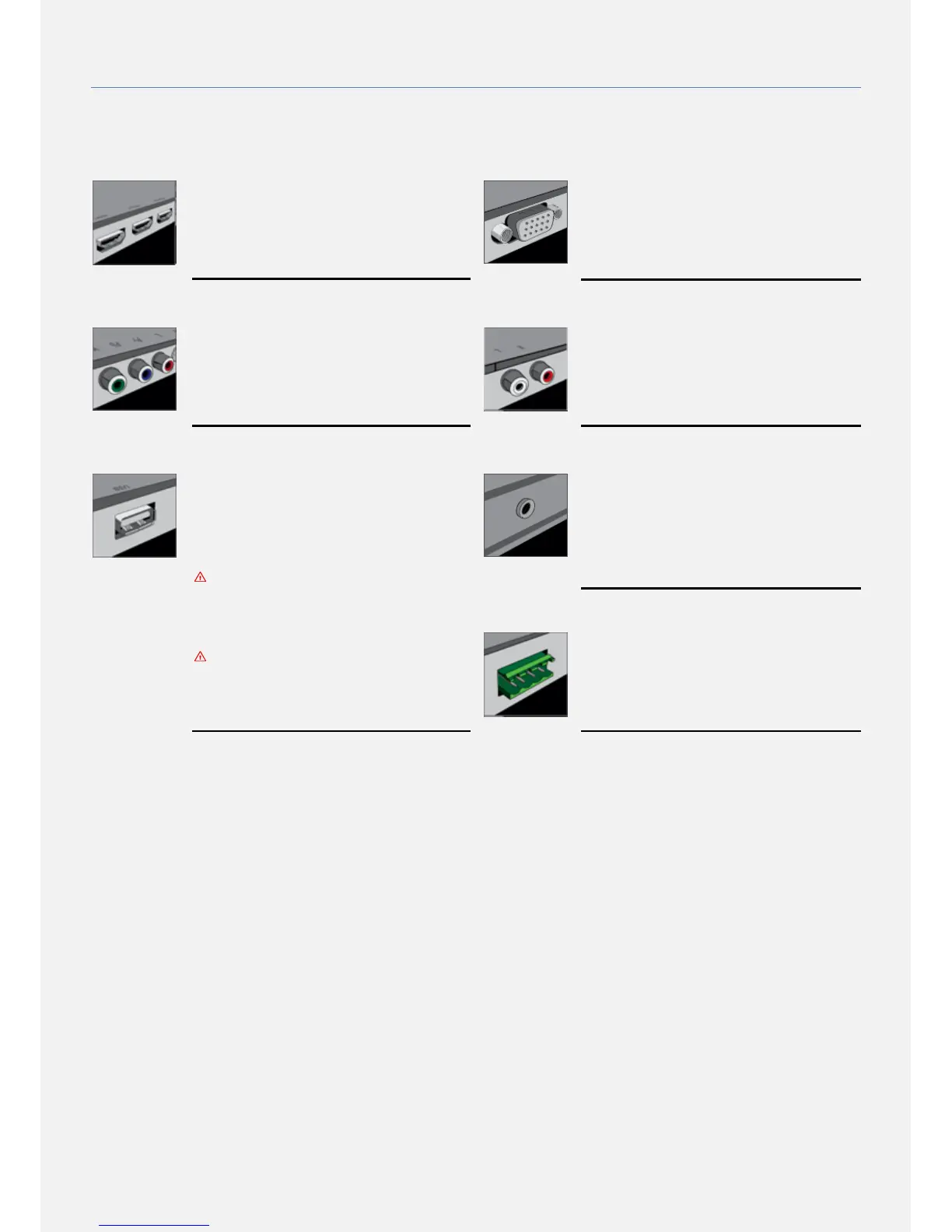
HDMI 1/2 /3
HDMI has the best picture and sound quality.
HDMI combines video and audio signals for
High Definition (HD) signals. For best signal
quality transfer, use a high speed HDMI cable
not longer than 5m.
VGA IN (not available for all models)
VGA is an analog video connection for PC´s
and laptops. Do not use for Full High
Definition signals. Combine sound using LINE
AUDIO input port.
COMPONENT IN (Y/ PB/ PR)
Component Video YPbPr is a high quality
connection. The YPbPr connection can be
used for High Definition (HD) signals. For
sound please use the LINE AUDIO Input port.
AUDIO IN (L/R)
Used with the COMPONENT IN port.
USB
You can view photos or play your music and
videos from a connected USB flash drive.
Insert a USB flash drive into the USB port of
your product and select the USB input.
To access the USB port after installation
it is highly recommended to install a USB
EXTENSION CABLE.
AUDIO OUT (not available for all models)
Use this output to connect an external audio
power amplifier or amplified loudspeakers.
This output is working in parallel with the
speaker out port and follows the screen´s
volume level changes.
The USB input is DISABLED by default.
Use On Screen Display (OSD) menu
(SERVICE SETTINGS) in order to activate
it.
SPEAKER OUT
Two external speakers can be connected to
the SPEAKER OUT port using speaker cables.
Please make sure your speakers impedance is
8 Ohm and the + and – wiring is correct.


 To Next Page