25
ON SCREEN DISPLAY (OSD MENU)
ON SCREEN DISPLAY (OSD) MENU
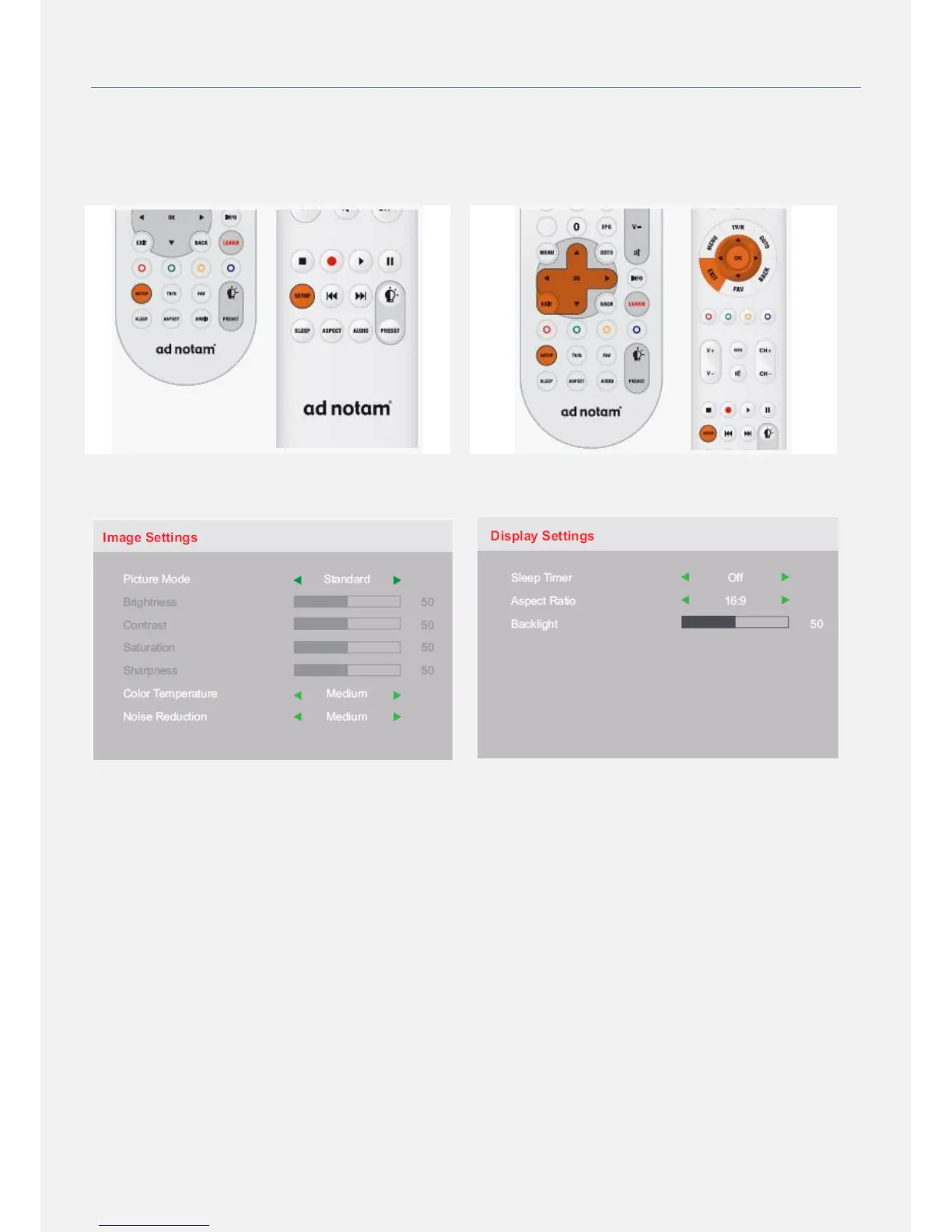
All screen settings are done via the on screen display
(OSD) menu. To access this menu please use the setup
key. The OSD menu includes settings for: Image, Display,
Audio, OSD, Setup and Service.
PICTURE MODE
Define the picture mode, choose from standard, dynamic,
mild or user. In user mode the settings for brightness,
contrast, saturation and sharpness may be adjusted
manually.
NOISE REDUCTION
Define the noise reduction, choose from off, low, medium
or high.
COLOR TEMPERATURE
Define the color temperature, choose from cool, medium
or warm.
OSD NAVIGATION
The up, down, left and right keys are used in order to navigate
within the OSD menu. To change settings use the left and right
keys. To go back one step use the setup key. To confirm, use
the OK key. To close the OSD menu use the exit key.
SLEEP TIMER
Determine a time span after that the screen should turn off
automatically, choose from off, 15min, 30min, 45min, 60min,
90min or 120min.
BACKLIGHT
Adjust the general brightness of the backlight, choose from
20% up to 100%.
ASPECT RATIO
Define the image aspect ratio, choose from 16:9, 4:3, Zoom 1
or Zoom 2.


 To Next Page