2
Operation
The front panel controls ...........................................................48
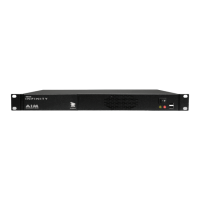
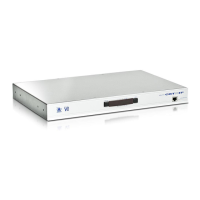
AdderView CATx models..................................................48
AdderView CATx IP models..............................................48
Accessing the AdderView CATx ................................................48
Local and remote user access....................................................49
Selecting a computer............................................................49
Logging in and out ...............................................................52
Selecting cascaded computers .............................................52
The conrmation box ...........................................................52
The reminder banner............................................................53
Routing status .......................................................................53
Power switching (via conguration menu).........................54
User preferences and functions ...........................................54
Global user access......................................................................55
Global user access via VNC viewer .......................................56
Global user access via web browser.....................................57
Using the viewer window ....................................................58
The menu bar ...................................................................58
When using the viewer window .....................................58
Mouse pointers.................................................................59
Congure..........................................................................59
Auto calibrate ............................................................60
Re-synchronise mouse ................................................60
Access mode - shared/private .........................................60
Power switching (via viewer)...........................................60
Controls.............................................................................61
Access via dial up (modem or ISDN) link.........................64
If you need to enter a port number................................64
Viewer encryption settings..............................................65
Supported web browsers.................................................65
Further information
Getting assistance......................................................................66
Troubleshooting ........................................................................66
Appendix 1 – Conguration menus .........................................67
Functions ...............................................................................68
User Preferences ...................................................................69
Global Preferences................................................................70
Setup Options .......................................................................72
Advanced Options ................................................................74
Congure IP port ..................................................................75
Unit Conguration
...........................................................75
Network Conguration ...................................................76
Modem Conguration .....................................................77
Reset Conguration .........................................................77
Clearing IP access control .....................................................78
Appendix 2 - Conguration pages via viewer
.........................79
User accounts ........................................................................80
Unit conguration ................................................................81
Advanced unit conguration ..........................................82
Time & date conguration ...................................................83
Network conguration
.........................................................84
Setting IP access control...................................................85
Serial port conguration......................................................86
Host conguration................................................................87
Adder Port Direct..................................................................88
Logging and status ...............................................................89
HT
Contents - page 3


 To Next Page