page 18 IRIS-4 Technical Reference Manual.docx 12/01/2023
Welcome menus
4.2.6.1 Language selection
English is the default language.
To change the touchscreen language, click <<touch to set language>, and select your desired language.
4.2.6.2 Installer’s password
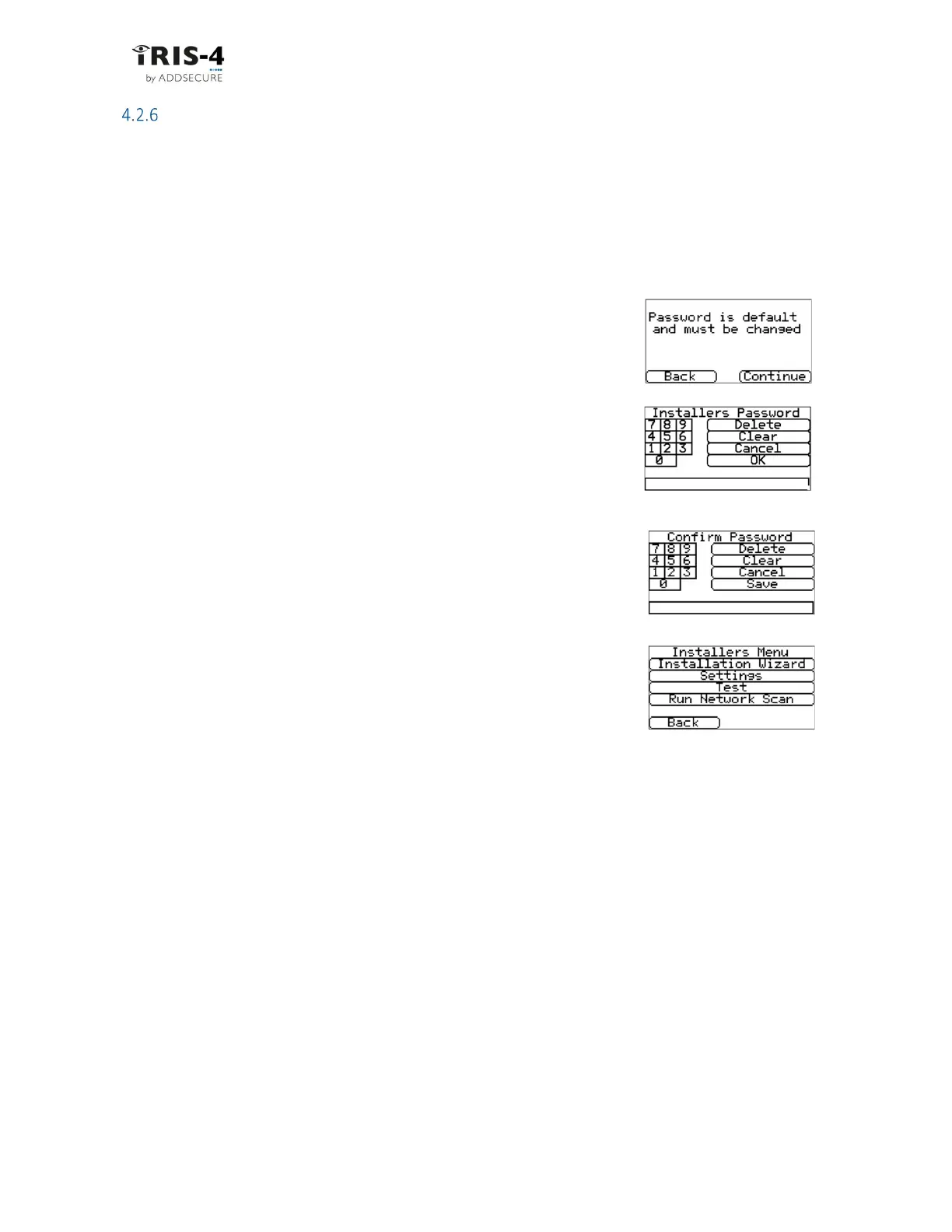
Click <<touch to configure>> and then you will need to set your own password to comply with EN50136-2.
Follow the procedure below:
1 Enter the default password, “111111”, and click «OK».
2 Click «Continue» to enter your own password.
3 Now enter your own password, 6 to 12 digits, then click «OK».
4 Re-enter the new password to confirm it, then click «Save». It is
recomended that you store this password separately in a safe
place.
5 The Installers Menu will then be displayed.
For the next and any following times you select “Installers Menu” from the Welcome screen, simply enter
your password and click «OK».



 To Next Page