IRIS-4 Technical Reference Manual.docx 12/01/2023 page 55
Fail to communicate (FTC) A terminal input change has occurred, and this event failed to communicate to
the ARC.
Action: check all communication paths are working, and configuration is correct.
Also check with the ARC that they have no known issues with received alarms
(e.g., IRIS Poll engine receiver fault).
EEPROM The terminal has a possible hardware issue and cannot see the EEPROM. The
EEPROM stores all local parameters for protection against power failure.
Tamper detection Tamper switches or case tamper input has been activated.
Action: check enclosure for incorrect fitting.
Replace batteries The batteries have failed the load/health test, performed automatically by the
terminal, indicating a lack of storage capacity.
Action: replace batteries
Low battery The batteries are discharged and will soon cease to power the terminal.
Action: Ensure mains power is restored and start a full battery charge.
Mains fail The mains power supply has failed.
Action: troubleshoot the mains power supply and switch back on.
9.2 Test
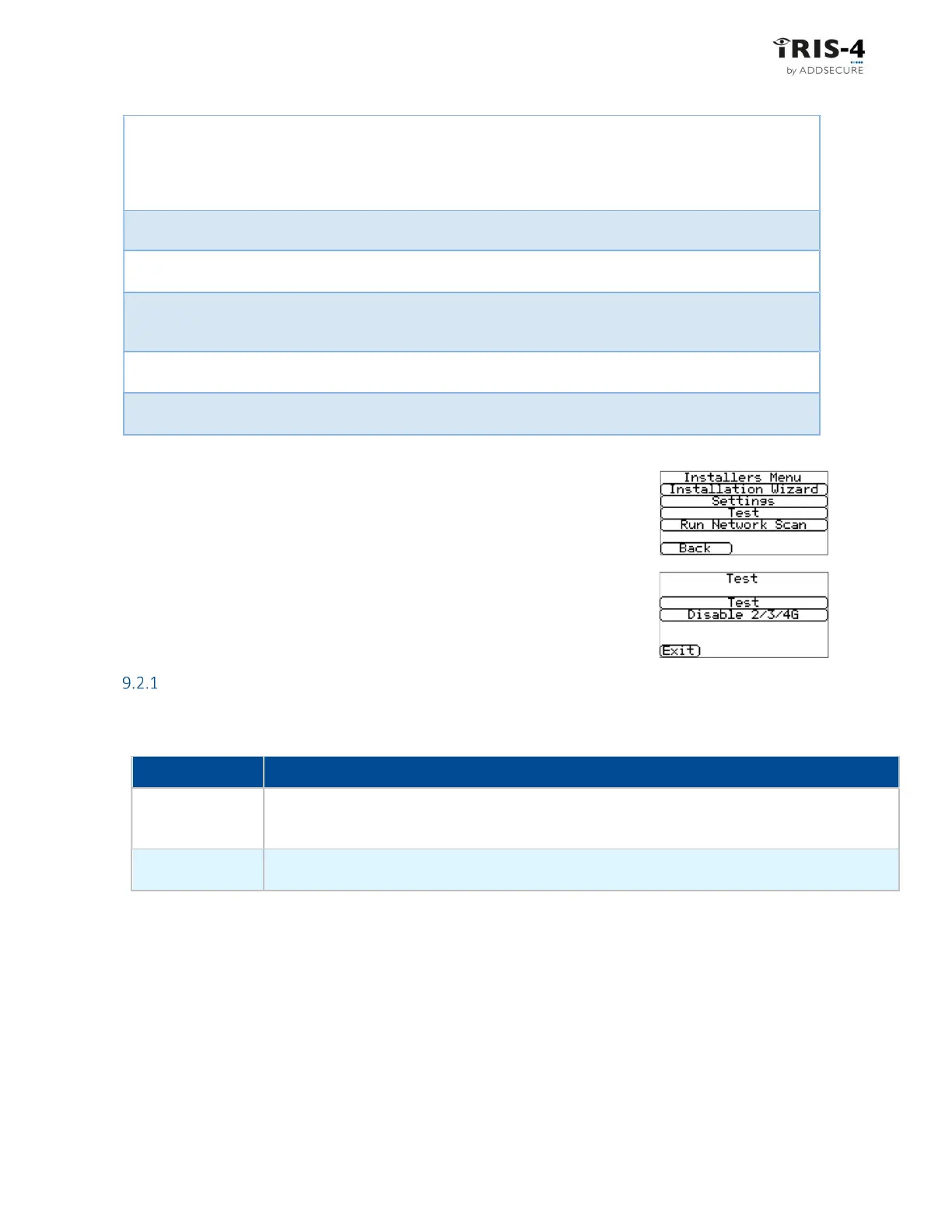
This option tests communication paths and is available directly from the
Installers Menu. Click «Test» to access the test options.
Test
The Test option checks polling and alarms on the enabled communication paths. The table below explains
the tests that can be carried out and possible errors. Click «Test» to start these tests.
Tests
Results and explanations
Checking Ethernet
Connected: Confirms that the terminal is connected to the Ethernet network.
Disconnected: Means that the terminal is not connected to the Ethernet network
Action: check the Ethernet cable and cabling all the way through to the other end (Router/Switch).
Checking IP
address
IP address OK; Confirms the terminal has a valid IP address
No IP address: Check whether DHCP/fixed IP is correctly configured.



 To Next Page