IRIS-4 Technical Reference Manual.docx 12/01/2023 page 23
Wi-Fi setup and test
5.3.4.1 Wi-Fi settings
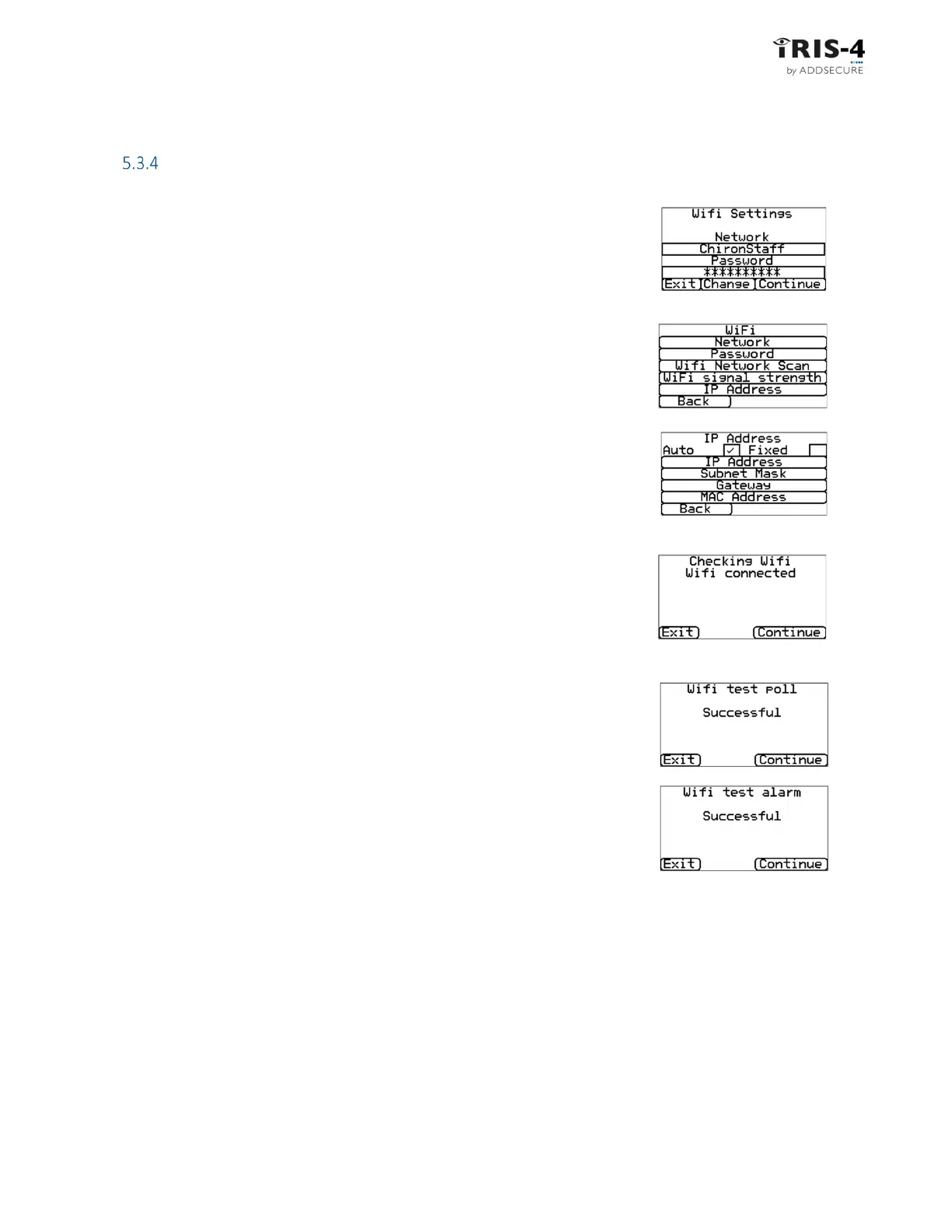
If you selected Wi-Fi as the communication method, this screen shows the name
of the current Wi-Fi network and the current password. Click <<Change>> if you
need to make changes.
You can then change the parameters required, such as network SSID and access
password.
The Wi-Fi network scan allows you to see all the networks that the terminal can
see and select the one you want to use.
The IP address setting allows you to set a fixed Wi-Fi IP address in the terminal,
should the network being used require it.
When done, click on <<Continue> to continue.
5.3.4.2 Checking Wi-Fi connection
The Wi-Fi connection will now be checked.
5.3.4.3 Wi-Fi communication tests
The terminal will send a test poll and test alarm message to the ARC to check the
Wi-Fi connection.
If these are not successful, the terminal will display the failure and possible
reasons. See section 5.3.1.



 To Next Page