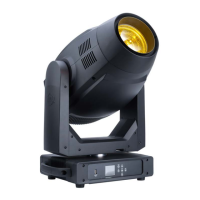
Focus Spot 6Z Trouble Shooting
Focus Spot 6Z Cleaning
Listed below are a few common problems the user may encounter, with solutions.
Unit not responding to DMX:
Check that the DMX cables are connected properly and are wired correctly. Also, check that all
cables are connected to the right connectors, as connecting the inputs and outputs in the correct
order is crucial for proper operation.
Due to fog residue, smoke, and dust, cleaning the internal and external optical lenses must be car-
ried out periodically to optimize light output.
- Use normal glass cleaner and a soft cloth to wipe down the outside casing.
- Clean the external optics with glass cleaner and a soft cloth every 20 days.
- Always be sure to dry all parts completely before plugging the unit back in.
- Cleaning frequency depends on the environment in which the fixture operates. Heavy exposure to
smoke, fog residue, dust, dew, etc. may mean that more frequent cleaning is required.
Focus Spot 6Z Multiple Unit Power Linking
With this feature you can connect the xtures to one another using the power cable input and
output sockets.
NOTE: USE CAUTION WHEN POWER LINKING OTHER FIXTURES AS THE POWER
CONSUMPTION OF OTHER MODEL FIXTURES MAY EXCEED THE MAX POWER OUTPUT ON
THIS FIXTURE! CHECK SILK SCREEN FOR MAX AMPS.
ADJ Products, LLC - www.adj.com - Focus Spot 6Z User Manual Page 38



 To Next Page