Focus Spot 6Z Gobo Replacement
ADJ Products, LLC - www.adj.com - Focus Spot 6Z User Manual Page 35
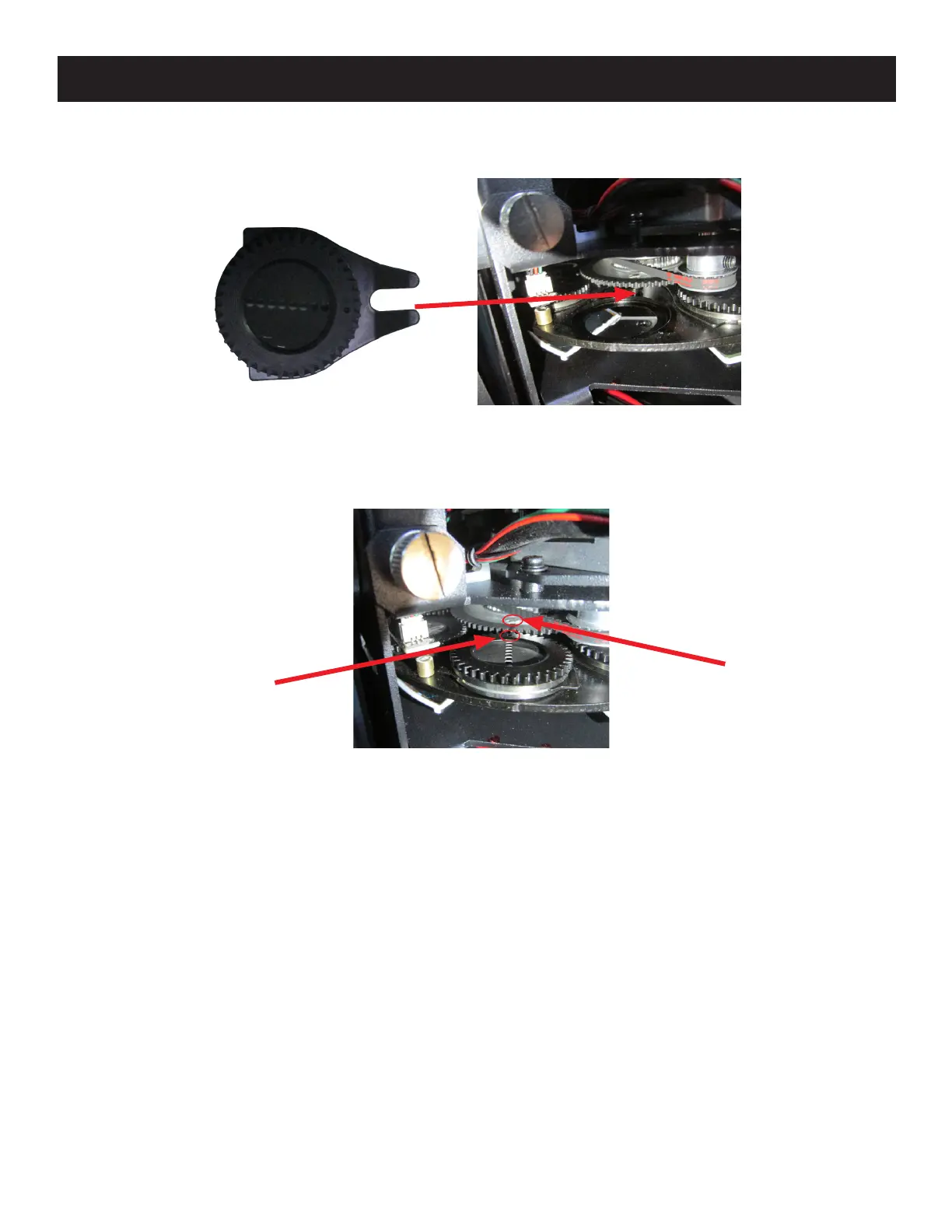
9. Making sure that the mark on the geared portion of the gobo holder is still aligned with the gobo
holder clip, insert the clip of the gobo holder onto the attachment point on the gobo wheel. You
should hear an audible click as the gobo holder snaps into place.
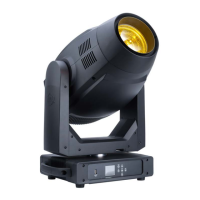
10. Gently push the gobo holder upwards from below, until the silver portion of the gobo holder
clears the surface of the gobo wheel. Hold the gobo holder in this position and rotate the gobo
holder so that the mark on the black geared portion is aligned with the small circular magnet on
the large gobo wheel gear.
LARGE GOBO
WHEEL GEAR
MAGNET
GOBO
HOLDER
MARK
11. Re-attached the safety clip from the cover to the attachment point at the base of the head. Put
the cover back in place and tighten the four (4) screws to secure the cover in place.
12. Power the fixture on. Calibrate the newly installed gobo by going to the following location:
Personality > Service > Effect Adjust.
Select the gobo that was just replaced to calibrate. “Gobo1Rot1” represents Gobo Wheel 1,
Gobo 1 Rotation; “Gobo1Rot2” represents Gobo Wheel 1, Gobo 2 Rotation, etc. Refer to the
Gobos section for the assigned value of each gobo as installed by the factory.



 To Next Page