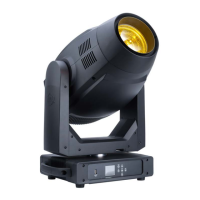
Focus Spot 6Z Software Updates
ONLY QUALIFIED TECHNICIANS SHOULD PERFORM THIS FUNCTION! NOTE ALL MENU SET-
TINGS BEFORE UPDATING SOFTWARE!
FIXTURE SOFTWARE CAN NOT BE DOWNGRADED!
DOWNLOAD FIXTURE SOFTWARE TO PC ONLY! (NO MAC SUPPORT) PLEASE CONTACT ADJ
CUSTOMER SERVICE FOR FURTHER INFORMATION.
1. Contact ADJ customer service to obtain the updated software. Download to a USB ash drive. In
order to minimize the risk of downloading the incorrect software to your device, make sure that
the desired update les are the only les on the USB ash drive.
2. Disconnect any DMX connections from your device. Insert the USB ash drive into the service
port on your device.
3. Use the display screen control panel to navigate to Personality > Service > USB Port Power. See
the System Menu section for detailed instructions. Enter the passcode when prompted, and
switch the USB Port Power setting to ON.
4. Highlight the desired le and press ENTER to select it and begin the download.
5. The unit will then update, run an automatic software check, and reset. This may take some time.
6. Repeat this process for each software update le.
7. Verify by navigating to Information > Software Version and conrming that the correct software
version number is shown there (see the System Menu section for detailed instructions).
ADJ Products, LLC - www.adj.com - Focus Spot 6Z User Manual Page 39



 To Next Page