Version 15.0 AF-5000 Series Pilot Guide 112
EFIS Checklists
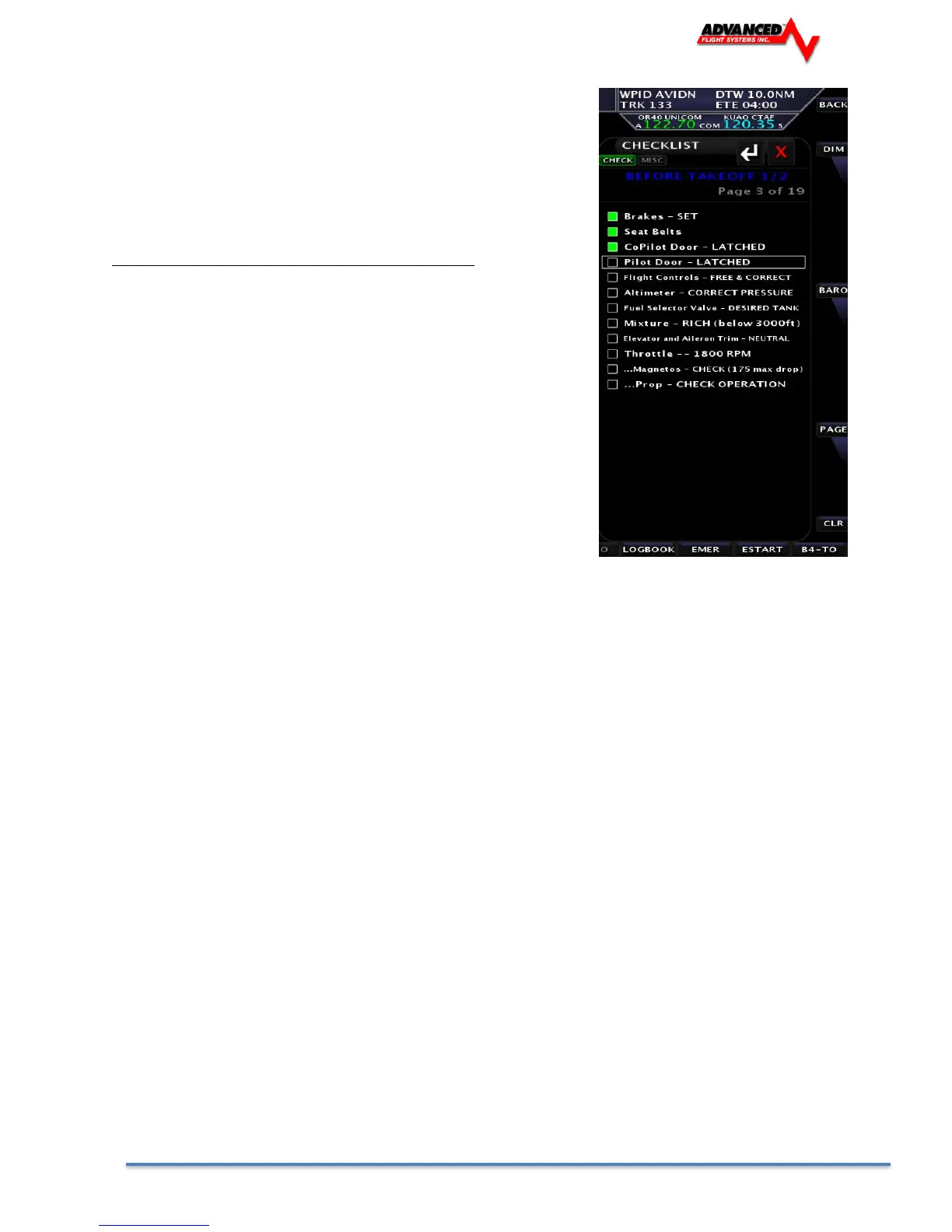
To view checklists pages press the [CHECK] button from the main
screen. Rotate the joystick to scroll through the checklists. To
return to the main screen press the [BACK] button.
If the [CHECK] button is pressed the page that is displayed is
controlled by the following:
ENGINE RPM PAGE Normal Use
0 1 Before Starting Engine
<1250 3 Before Takeoff Checklist
>1250 6 Emergency Checklist
This will make the emergency procedures checklist easy to access
in the event of an in-flight emergency.
The checklist file is stored in the CHKLST.AFD file and can be
transferred using the SD card from the EFIS Calibration Menu.
[SET] -> [CAL] -> [ADMIN SETTINGS] -> [TRANSFER FILES]
1. Admin Settings
1. Transfer Files
2. Checklists file
Press [SAVE]
The text for the checklists is stored in the following format and can be modified using Microsoft Word Pad on a PC.
# Lines are limited to 96 char long
#
# DO NOT USE COMMAS IN THE CHECKLIST TEXT !
CHKLST0.TITLE, BEFORE STARTING ENGINE
CHKLST0.LINE1, Preflight Complete
CHKLST0.LINE2, Spar Pins Secured - CHECK
CHKLST0.LINE3, Safety Belts - ON
CHKLST0.LINE4, Doors - LATCHED
CHKLST0.LINE5, Fuel Selector Valve - DESIRED TANK
CHKLST0.LINE6, Avionics - OFF
CHKLST0.LINE7, Brakes - SET
CHKLST0.LINE8, Circuit Breakers - CHECK IN
CHKLST0.LINE9,
CHKLST0.LINE10,
CHKLST0.LINE11,
CHKLST0.LINE12,
CHKLST1.TITLE, ENGINE STARTING
CHKLST1.LINE1, Mixture - RICH
CHKLST1.LINE2, Prop - HIGH RPM
CHKLST1.LINE3, Master Switch - ON
CHKLST1.LINE4, Fuel Boost Pump (3 Sec)
CHKLST1.LINE5, Flaps - UP
CHKLST1.LINE6, Throttle - OPEN approx 1/4
CHKLST1.LINE7, Propeller Area - CLEAR
CHKLST1.LINE8, Ignition Switch - START
CHKLST1.LINE9, Oil Pressure – CHECK
CHKLST1.LINE10, Strobes - ON
CHKLST1.LINE11,
CHKLST1.LINE12,
CHKLST2.TITLE, BEFORE TAKEOFF 1/2
CHKLST2.LINE1, Brakes - SET
CHKLST2.LINE2, Spar Pins Secured - CHECKED
CHKLST2.LINE3, Doors - LATCHED
CHKLST2.LINE4, Flight Controls - FREE & CORRECT



 To Next Page