Version 15.0 AF-5000 Series Pilot Guide 14
SYSTEM OPERATION
Turning the Unit ON
The AF-5000 Series will turn on anytime power is applied to the main power input and will
stay running as long as there is power supplied. If power from the aircraft hot battery bus or
backup battery is connected to the backup power input, the system can be turned on by
pressing and holding button 1 (lower left button) for 2 seconds.
Screen Dimming
The screen can be dimmed by pressing [CHECK] and rotating the top knob labeled [DIM]
AHRS Alignment (Gyro)
When power is applied to the system the EFIS display will have a large RED X
while the AHRS in initializing.
The Aircraft should not be moved until the RED X disappears from the Screen
(Approximately 40-60 seconds)
If for any reason the RED X appears on the screen the Horizon
Attitude, Heading, and Slip display MUST NOT BE RELIED ON FOR
PRIMARY NAVIGATION.
Turning the Unit OFF
The system will turn off when power is removed from the Main Power input. If main power is turned off and backup
power is still present, the system will start a 30-second countdown to power-off and display an on-screen alert as long
as there is no airspeed or RPM.
Pressing any button will bypass the countdown and the display will remain powered on. Care should be taken not to run
the aircraft battery down too low during extended periods on the ground.
Backup Power Operation
If the external battery or the aircraft hot battery bus is connected to the backup power input the unit will continue to
operate down to 8 Volts.
If external power is lost in-flight and the system is running on the backup battery, it is imperative that
the aircraft land immediately, before all power to the EFIS systems is lost. There are many factors
that can reduce battery life depending on the configuration of the display and what external
accessories are connected.
Battery Power Shutdown
The display can be turned off when on backup power by pressing [SET] (Button 18) and then holding [PWR DWN]
(Button 11). The unit will also turn off when on backup power if there is no airspeed or RPM for 5 minutes or if the
system voltage gets critically low.
DO NOT ASSUME THE EFIS HAS ONE HOUR OF BATTERY LIFE.
NEVER TAKE-OFF USING BACKUP BATTERY POWER.
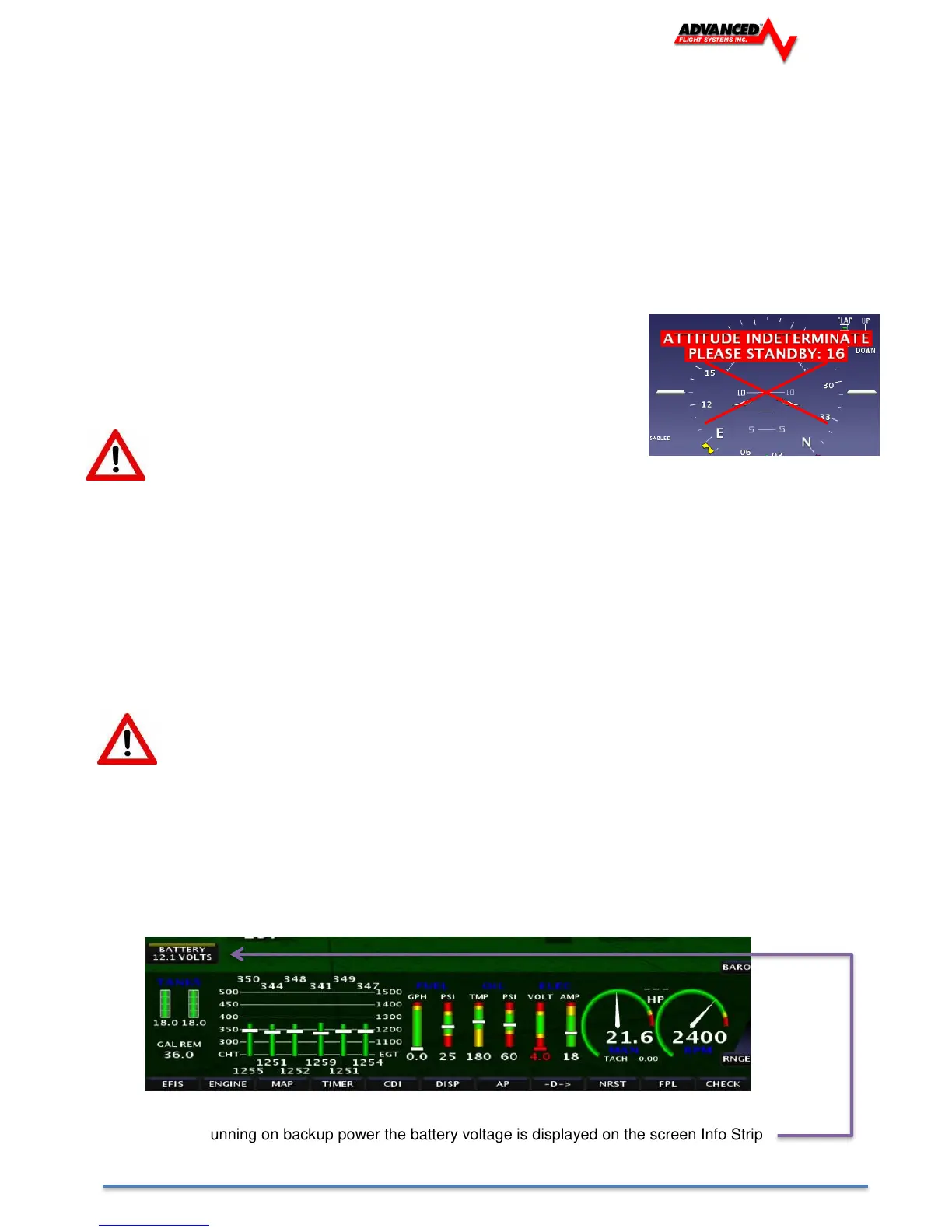
When the unit is running on backup power the battery voltage is displayed on the screen Info Strip



 To Next Page