Version 15.0 AF-5000 Series Pilot Guide 23
AF-5400 Interface
The 5400 Interface is very similar to the standard AF-5000 series. All AF-5400 displays are equipped with a touch
screen interface to allow for equal functionality with fewer buttons and knobs. The right side button tags are all touch
controlled, as is the keyboard for data input. The display recognizes the same swipe, pinch, and drag motions through
the touch screen.
Screen Selection
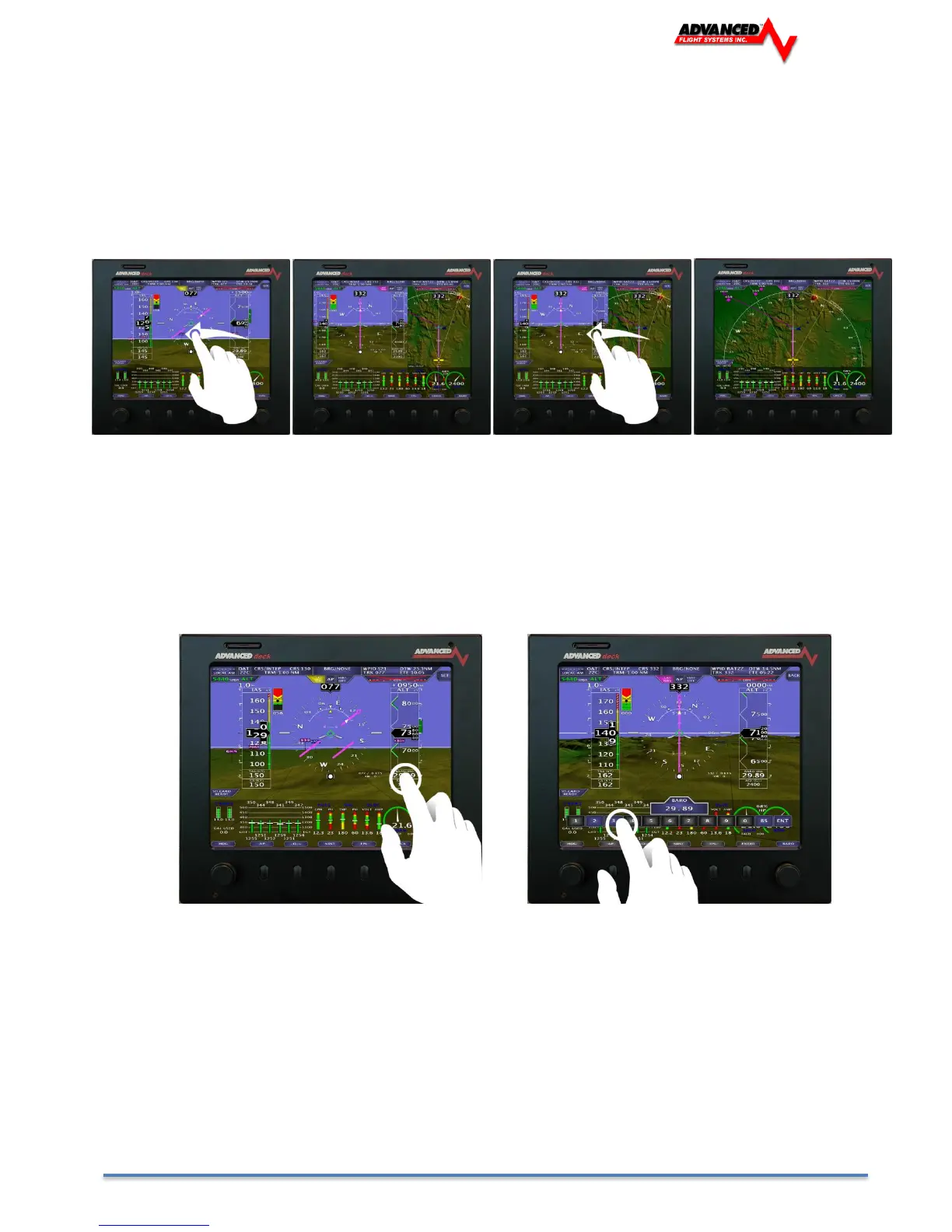
Screen Selection is done through touch screen gestures. A single figure drag motion will turn on or off different displays
in the same manner as touch screen equipped AF-5000 EFIS. (See Screen Selection Using Touch Gestures)
Touch Keys
To retain the functionality of an 11 button keyboard the AF-5400 uses touch keys for data input.
For example, to adjust the Barometric Pressure (BARO):
1. Tap the BARO readout tag (Directly below the altitude tape).
2. The touch keyboard will be displayed, input the new barometric pressure
3. Press [ENT] (Far right on the touch keyboard) to enter the new barometric pressure.



 To Next Page