Version 15.0 AF-5000 Series Pilot Guide 81
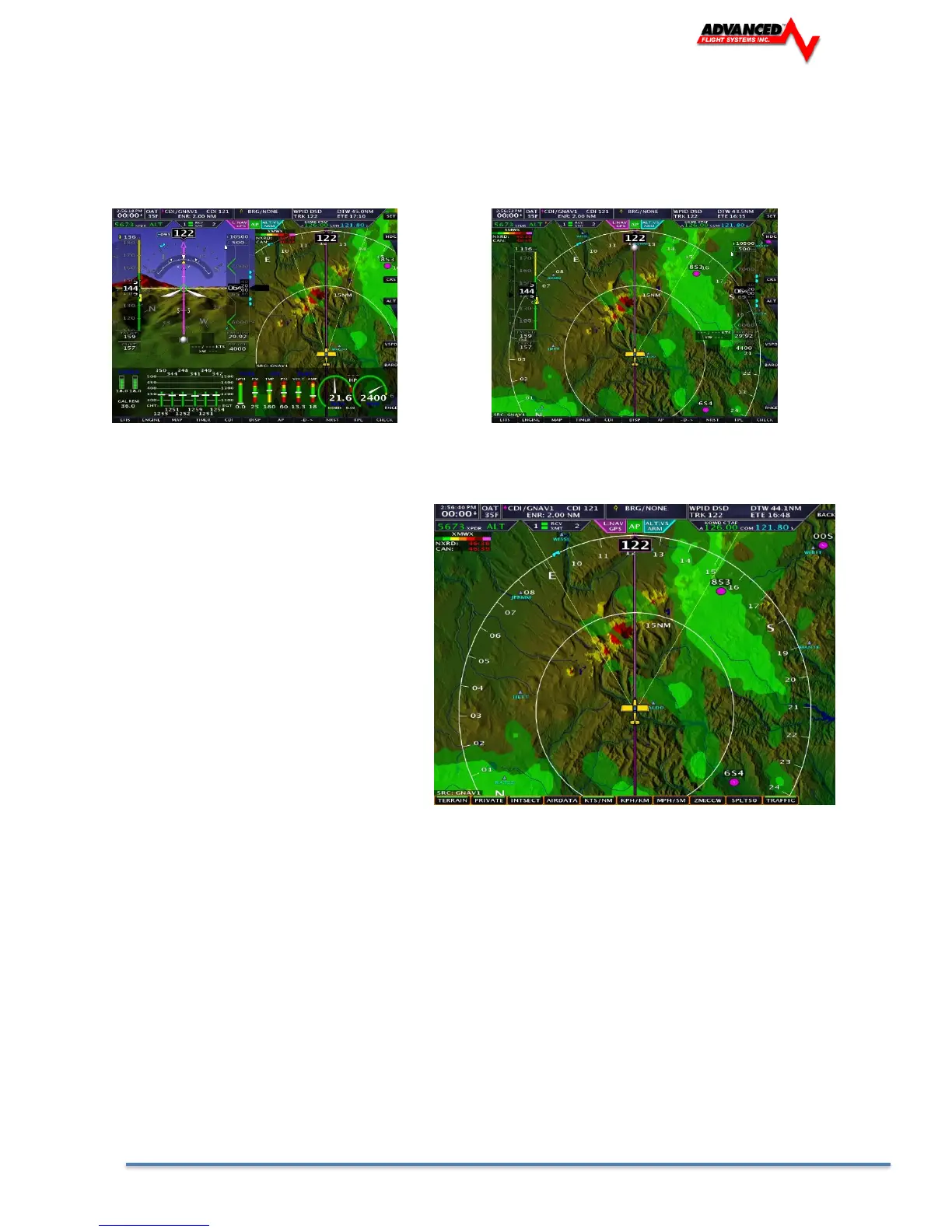
The moving map can be displayed as a partial screen along with the EFIS and/or Engine Monitor or as a
complete page. Users can also select the airspeed and altitude tapes to be displayed on the map from the
[SET] [MAP] menu and selecting the [AIRDATA] buttons.
EFIS, MAP , ENGINE Map Page with Air Data ON
Map Options
The Map settings page is displayed by
pressing: [SET] [MAP]
The following Map features can be turned
ON or OFF
TERRAIN Map Terrain
PRIVATE Private Airports
INTSECT Intersections
AIRDATA Airspeed and Altitude Tape
Map Scale Option
KTS/NM Knots
KPH/KM Kilometers
MPH/SM Statue Miles
ZM:CCW Selects knob zoom direction
SPLT50 Selects split map mode 50% or 40% of screen.
The current map flight plan source is automatically set to the CDI source. You can select a different source
from the CDI by selecting:
[MAP] [SOURCE][GNAV1/GNAV2/GPS1/GPS2/INTFP]
GNAV1/GNAV2 IFD440, IFD540, GTN650, GTN750
GPS1/GPS2 External GPS unit setup as GPS
INTFP Flight Plan activated from the internal flight plan



 To Next Page