Version 15.0 AF-5000 Series Pilot Guide 17
CHECK Menu
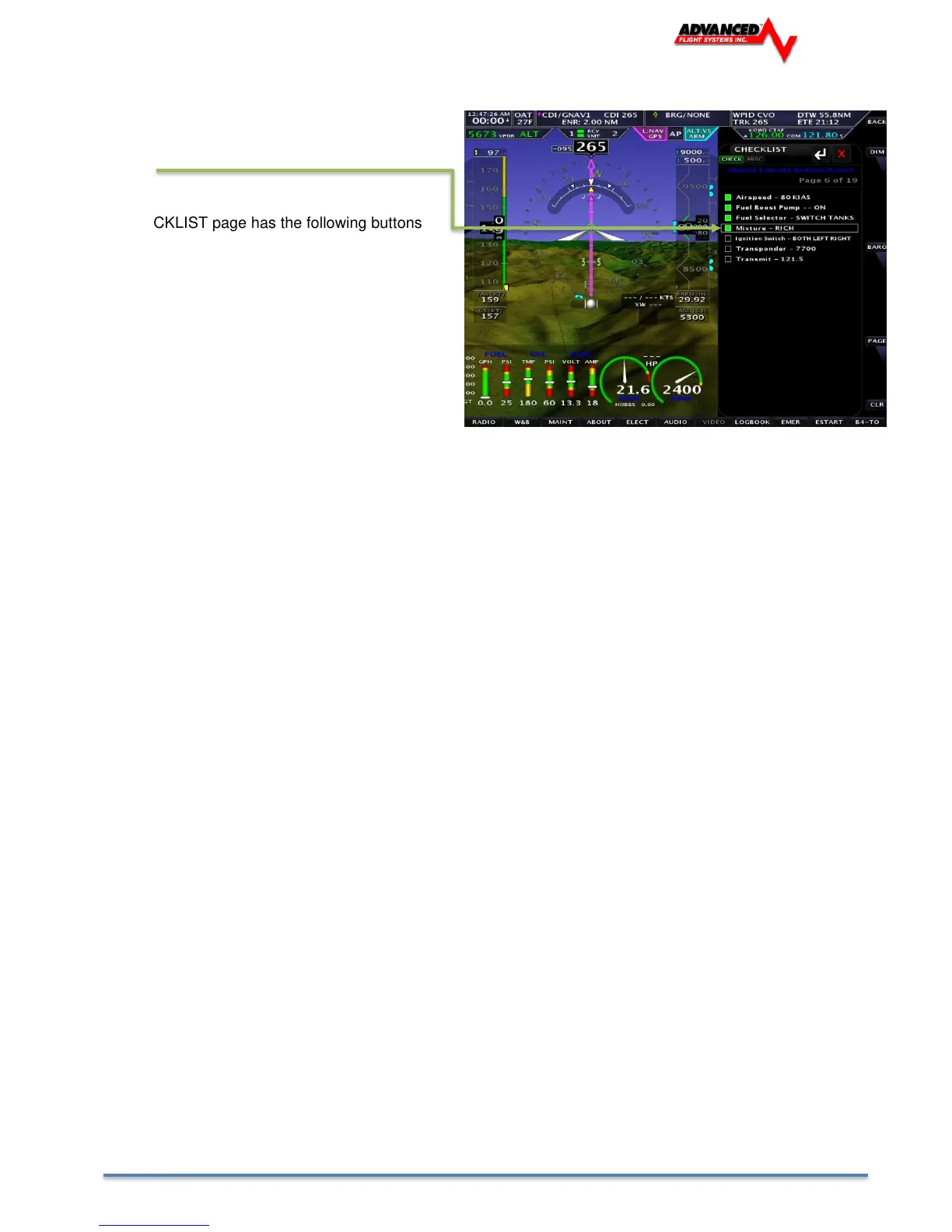
Pressing the [CHECK] button brings up the
Checklist Page. You use the joystick to move
between Checklist items and press in to check off
the item.
The CHECKLIST page has the following buttons
and menus
Side Buttons
BACK Returns to the Main Menu
DIM Dims the displays in the Aircraft
BARO Enables you to adjust the Baro
while doing the Checklist
PAGE Selects the Checklist Page
CLR Clears the Checklist items
Bottom Buttons
RADIO Brings up the XM Radio Page
W&B Weight and Balance Page
MAINT Maintenance Page
ABOUT About Menu
ELEC Electronic Circuit Breaker Menu
AUDIO Audio Panel Page
VIDEO Video Display window and settings
LOGBOOK Logbook Menu
EMER Emergency Checklist
ESTART Engine Starting Check List
B4-TO Before Take Off Checklist



 To Next Page